
Why indie game icons matter
Your indie game icon is the handshake before the conversation. In a crowded storefront, players decide whether to click based on that small square. If the icon feels like a generic placeholder, the game gets scrolled past. If it signals a distinct world, the click happens. This is especially true for indie titles where you are competing against polished AAA marketing budgets with a fraction of the resources.
Beyond store pages, icons serve as the primary communication tool within your own UI. A well-designed sprite pack ensures that every button, status effect, and inventory item speaks the same visual language. When a player sees a red cross, they know it means health. When they see a blue gear, they know it is settings or crafting. Consistency reduces cognitive load, letting your gameplay shine without the interface fighting for attention.
Think of your icon set as the visual grammar of your game. Just as grammar allows words to form coherent sentences, cohesive icons allow disparate elements to form a recognizable brand. You don't need to draw every asset yourself, but you do need to curate a pack that fits your game's tone. Whether you choose hand-drawn sketches or clean vector shapes, the key is uniformity. A mismatched collection of free assets can break immersion instantly, making a polished game feel unfinished.
For indie developers in 2026, this means treating icon design as a core pillar of your pre-production, not an afterthought. Investing time in a cohesive visual identity pays dividends in player retention and store conversion rates. The right sprite pack doesn't just look good; it works hard to tell your story in a glance.
Top free icon resources
When you are bootstrapping an indie game, every dollar spent on assets is a dollar not spent on marketing or server costs. You do not need to compromise on visual quality to keep your budget intact. Several high-quality repositories offer professional-grade icon packs and sprite sheets that are free to use, often under permissive licenses that allow for commercial projects.
Game-icons.net remains the gold standard for vector-based game assets. It hosts over 4,000 icons that are fully customizable via CSS. Because they are SVGs, you can change colors, sizes, and strokes directly in your code without needing to open an image editor. The site organizes these icons into intuitive categories, making it easy to find specific UI elements like health bars, inventory slots, or character classes. New symbols are added weekly, ensuring the library stays fresh for modern game designs.
For developers who prefer raster-based or pixel-art styles, itch.io is an invaluable resource. Many independent artists release "freebies" or generous open-source packs tagged with "Icons" and "Indie." These collections often include themed sets, such as cyberpunk interfaces or fantasy RPG elements, which can save you hours of asset creation time. While the quality varies by creator, the community-driven nature of itch.io means you can often find unique, hand-crafted assets that stand out from generic stock libraries.
These resources eliminate the need to hire a dedicated UI artist for early-stage prototypes. By leveraging these free libraries, you can focus your limited resources on gameplay mechanics and narrative, which are the true drivers of indie game success.
Premium character sprite packs
If you have the budget but not the time to hand-animate every frame, premium sprite packs are the shortcut. These bundles offer high-fidelity, fully animated assets that save you weeks of iteration. The trade-off is flexibility: you are locked into a specific art style and rig structure.
We compared four of the most popular premium packs available this year. The table below breaks down the core differences so you can pick the one that fits your game’s engine and visual direction.
| Pack Name | Art Style | Animations Included | License Type |
|---|---|---|---|
| RPG Character Kit | Pixel Art | Idle, Walk, Attack, Hurt | Royalty-Free |
| Cyber Samurai | Modern Vector | Run, Slash, Block, Idle | Commercial |
| Fantasy Heroes | Hand-Drawn 2D | Full Combat Loop | Royalty-Free |
| Sci-Fi Troopers | Retro 8-Bit | Movement, Shoot | Commercial |
Choosing the right pack depends on your engine’s skeleton system. Some packs come with pre-rigged Spriter or Spine files, which saves you from rebuilding the bone structure from scratch. Always check the source files before buying to ensure they match your workflow.
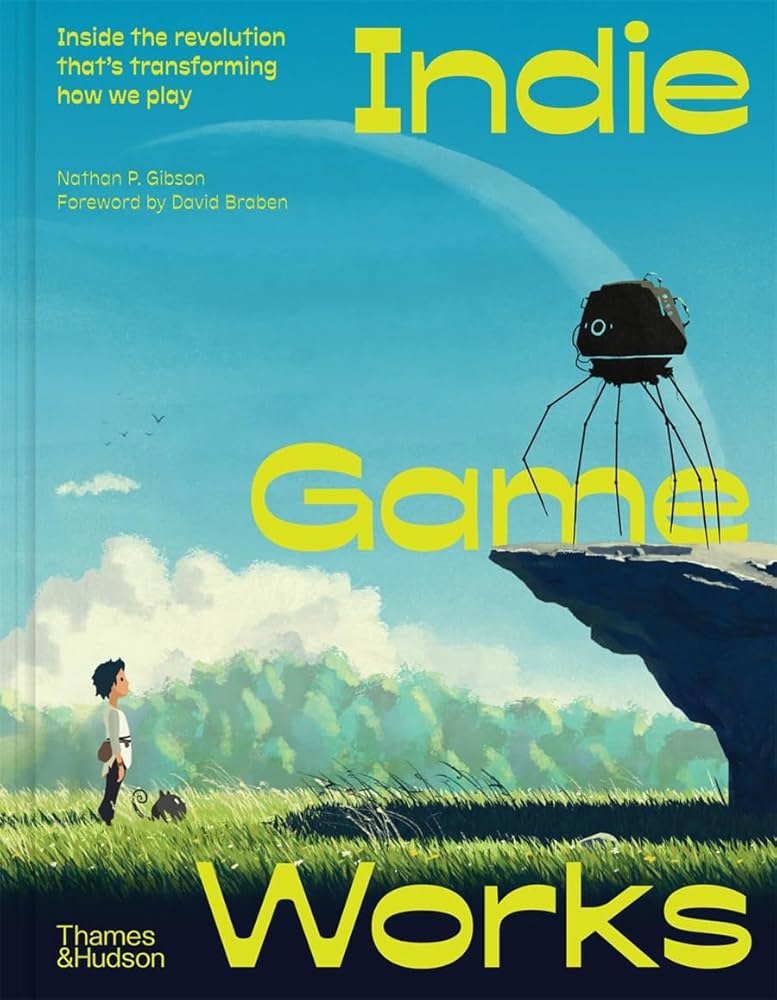
If you want to study the composition of these professional assets, buying physical art books or asset bundles can be a good way to have reference material on hand. These physical copies often include high-resolution sheets that are easier to inspect than on-screen previews.

As an Amazon Associate, we may earn from qualifying purchases.
Choosing the right style
Your icon style is the first signal to your players. It tells them what kind of experience to expect before they even launch the game. A mismatch here can make a polished game feel amateur, or a simple game feel pretentious. The goal is to match the visual language of your genre.
Pixel art
Pixel art remains the backbone of the indie scene, particularly for roguelikes, platformers, and retro-style RPGs. It works because it leverages nostalgia while allowing for expressive, readable animations at small scales. If your game relies on tight mechanics and quick readability, pixel art is your safest bet. Look for packs that offer consistent grid sizes and clear outlines. Sites like Game-icons.net provide thousands of free SVG and PNG icons that fit this aesthetic perfectly, ensuring your UI doesn’t clash with your sprites.
Vector and flat design
Vector assets are the go-to for puzzle games, management sims, and cozy titles. They scale cleanly to any resolution, which is critical for modern mobile displays. This style feels clean, approachable, and often more "casual" than pixel art. If you’re targeting a broad audience or a demographic that prefers bright, uncluttered visuals, vector packs offer versatility. You can easily recolor assets to match your brand without losing quality, making them ideal for games that need frequent UI updates or dynamic theming.
Hand-drawn and organic
For narrative adventures, horror, or stylized action games, hand-drawn assets add personality and warmth. This style feels unique and artistic, setting your game apart from the sea of uniform vector packs. However, it requires a consistent line weight and shading style across all icons to avoid looking messy. If you have an artist on your team or are commissioning custom work, this route pays off. Otherwise, look for curated packs that maintain a cohesive "rough draft" aesthetic, ensuring the hand-drawn feel is intentional rather than accidental.
Frequently asked: what to check next
Here are the answers to common questions about indie game icons and characters, based on what developers and players are searching for.
Who is the most iconic indie game character?
Undertale’s Sans is widely considered the most recognizable indie icon today. His simple skeletal design and meme-worthy personality have made him a staple in indie game culture. Other strong contenders include the silent protagonist of The Binding of Isaac and the pixelated hero of Stardew Valley.
Who is the most popular indie game?
Among the "big 3" often cited in the indie community—Minecraft, Undertale, and Stardew Valley—Minecraft remains the most popular by a significant margin. Its endless creativity and massive player base have kept it relevant for over a decade, influencing how indie games are designed and marketed.
What are the big 3 of indie games?
The "big 3" typically refers to Minecraft, Undertale, and Stardew Valley. These titles defined the modern indie renaissance by proving that small teams could create experiences that rival or exceed AAA budgets. They remain the gold standard for indie success.
What is the most popular gaming icon?
Beyond specific characters, the most popular gaming icon is often the pixel art style itself. Clean, scalable sprites like those found in Game-icons.net or the Icons8 Indie Games collection are the most used assets by developers. They offer versatility and a nostalgic feel that resonates with players.
No comments yet. Be the first to share your thoughts!