
The pixel art comeback
Pixel art is no longer a niche throwback; it is a primary choice for developers who are tired of the photorealism arms race. I find the scale of this comeback impressive. It is a deliberate move toward styles that prioritize clarity and personality over raw polygon counts.
The appeal is multifaceted. Lower resolution art demands creative problem-solving in visual communication, forcing artists to distill designs to their core elements. This can result in strikingly iconic imagery. It also lowers the barrier to entry for indie developers. Creating detailed 3D models and textures requires significant resources and skill; pixel art, while still demanding artistry, is comparatively accessible. This has allowed smaller teams to compete visually with larger studios.
Games like Stardew Valley (ConcernedApe, 2016) and Hollow Knight (Team Cherry, 2017) demonstrate the commercial viability of the style. Stardew Valley, with its charming 16-bit aesthetic, has sold over 20 million copies across all platforms as of November 2023. Hollow Knight’s hand-drawn, atmospheric pixel art contributed significantly to its critical acclaim and commercial success, selling over 6 million copies as of February 2024. These titles aren’t anomalies; they represent a broader shift in player preferences.
The current wave of pixel art isn’t a homogenous throwback. Developers are experimenting with different resolutions, color palettes, and animation techniques, pushing the boundaries of what's possible within the medium. There's a growing appreciation for the artistry involved, recognizing pixel art as a legitimate and expressive art form, not just a technical limitation.
What sprites are actually selling?
Asset marketplaces are a strong indicator of demand. On itch.io, the “Icons” and “Pixel Art” tags consistently generate a large number of results – over 50,000 projects are tagged with both as of January 2024. This underlines the volume of both creators and buyers actively seeking these assets. The sheer breadth of content available demonstrates a thriving ecosystem.
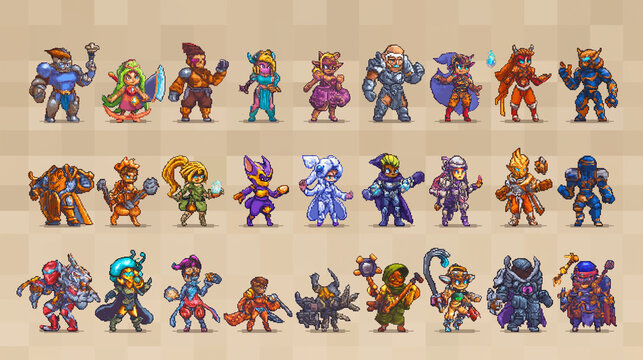
Character sprite packs are consistently popular, but the specific art style matters. Packs leaning into a 16-bit JRPG aesthetic, similar to Final Fantasy VI or Chrono Trigger, perform well, as do those inspired by Metroidvania-style games. Isometric pixel art is also in demand, particularly for tile-based strategy and RPG games. CraftPix.net, for example, features a dedicated section for 'Sprites & Characters' consistently updated with new offerings.
What sets successful packs apart isn't just the art itself, but the presentation and variety. Creators who offer multiple variations of characters (different poses, expressions, equipment) and include well-organized files tend to receive better reviews and higher sales. Assets that provide a complete visual solution – character sprites, tilesets, icons – are particularly attractive to developers.
Notable creators often focus on a specific niche. Some specialize in creating detailed character portraits, while others focus on creating expansive tile sets for environment design. The key is to identify a demand and deliver high-quality assets that meet that need. It's less about being the only provider, and more about being the best provider in a specific area.
- Character sprite packs (16-bit JRPG, Metroidvania)
- Isometric pixel art tile sets
- Icon sets for UI/UX elements
- Complete asset packs (characters, tiles, icons)
Popular Sprite Categories
- Fantasy Characters - This remains a consistently strong category, driven by the enduring popularity of RPGs and adventure games. Demand is high for diverse character classes – warriors, mages, rogues – with detailed pixel art.
- Sci-Fi Assets - Spaceships, futuristic soldiers, alien creatures, and space stations are consistently in demand. The aesthetic ranges from gritty, realistic depictions to vibrant, arcade-style visuals.
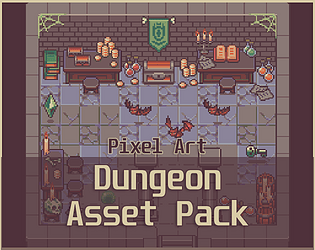
- Tile Sets (Environment) - Comprehensive tile sets for creating game worlds are essential for developers. Popular themes include forests, dungeons, towns, and caves. High-quality, seamless tiles are particularly valuable.
- Creature Packs - Monsters, animals, and mythical beasts are vital for populating game worlds. Packs often focus on specific biomes or enemy types, such as undead, forest creatures, or robotic enemies.
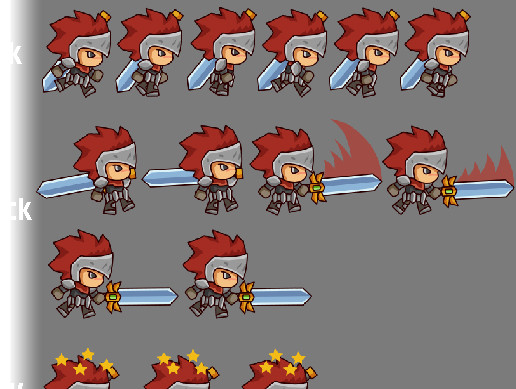
- Platformer Sprites - Sprites designed specifically for platforming games, including player characters with animation sets (idle, run, jump, attack), and enemies. Demand includes both side-view and top-down perspectives.
- Isometric Assets - Isometric pixel art continues to gain traction, offering a unique visual style for strategy, RPGs, and simulation games. Assets include buildings, characters, and environmental props.
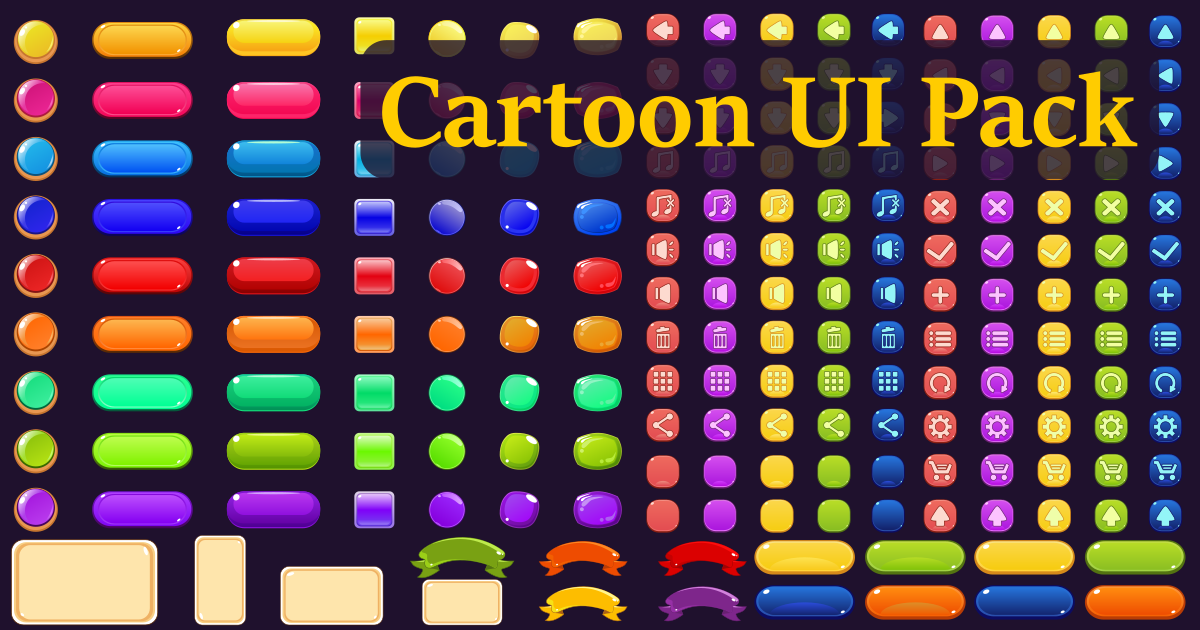
- UI Elements & Icons - A crucial, often overlooked category. Developers need pixel art user interface elements such as health bars, mana potions, buttons, and icons to create a cohesive game aesthetic. Consistency in style is key.
Style Guide: Defining Your Pixel Art Aesthetic
Moving beyond simply '8-bit' or '16-bit' is critical. Those terms are starting points, not destinations. Consider the overall feeling you want to evoke. Do you want a bright and cheerful aesthetic, or something darker and more atmospheric? The color palette is the most immediate way to establish this mood. Limited palettes (e.g., the Game Boy's four shades of grey) create a distinct retro feel, while expanded palettes allow for greater detail and nuance.
Resolution and scaling play a significant role. Lower resolutions (e.g., 32x32 pixels) demand greater abstraction and rely heavily on silhouette recognition. Higher resolutions (e.g., 64x64 or 128x128) allow for more detail but require careful attention to pixel placement to avoid a blurry or muddy appearance. Scaling algorithms also matter; nearest-neighbor scaling preserves the crispness of pixel art, while bilinear or bicubic scaling can introduce unwanted smoothing.
Dithering – the technique of using patterns of pixels to simulate additional colors – is a powerful tool for creating gradients and textures. However, overuse can lead to a noisy or distracting image. Experiment with different dithering patterns and densities to find what works best for your style. Careful use can add depth and visual interest.
Animation style is also crucial. Lower frame rates (e.g., 8 frames per second) create a choppy, retro feel, while higher frame rates (e.g., 12-24 frames per second) result in smoother, more fluid animation. The choice depends on the desired aesthetic and the type of game. Consider the genre – a fast-paced action game will require smoother animation than a slower-paced puzzle game.
Software that actually works
Aseprite is the industry standard for pixel art creation. Its dedicated toolset, including animation support, tilemap editing, and scripting capabilities, makes it a powerful and efficient choice. It's a paid software, currently priced around $20, but the investment is worthwhile for serious pixel artists. It’s frequently updated and has a strong community.
Photoshop and GIMP are viable alternatives, particularly if you're already familiar with them. However, they lack some of the specialized features of Aseprite. Photoshop requires a subscription, while GIMP is a free and open-source option. Both can be used effectively with the right techniques and plugins. Using appropriate plugins is key to streamlining the process.
Piskel is a free, browser-based pixel art editor. It's a good option for beginners or for quick prototyping, but it lacks the advanced features of Aseprite or Photoshop. Efficient workflow involves planning your sprite sheets, using layers for different elements (outline, shading, highlights), and utilizing color palettes consistently. Consistent naming conventions are also essential.
Regardless of the software you choose, mastering keyboard shortcuts and learning how to automate repetitive tasks will significantly improve your productivity. Regularly saving your work and creating backups is also crucial. Consider version control systems like Git to track changes and collaborate with others.
- Aseprite is the standard for most of us because it handles animation and tilemaps in one $20 package.
- Photoshop: Versatile, subscription-based
- GIMP: Free and open-source
- Piskel: Free, browser-based
Pixel Art Software Comparison - 2026
| Software | Ease of Use | Feature Set | Platform Compatibility | Community Support |
|---|---|---|---|---|
| Aseprite | Very Good - Intuitive for pixel art | Excellent - Dedicated animation tools, robust layer system, advanced color palette management | Good - Windows, macOS, Linux | Excellent - Large, active community focused on pixel art |
| Adobe Photoshop | Good - Steep learning curve, powerful but complex | Very Good - Comprehensive feature set, including animation capabilities via timeline, extensive layer options, color correction tools | Excellent - Windows, macOS | Excellent - Massive user base, abundant tutorials, and resources |
| GIMP | Moderate - Requires some familiarity with image editing concepts | Good - Layer support, color editing, but animation features are less streamlined than dedicated software | Excellent - Windows, macOS, Linux | Good - Large community, but less focused specifically on pixel art than Aseprite |
| Piskel | Excellent - Beginner-friendly, browser-based | Good - Simple animation tools, basic layer support, limited color palette options | Excellent - Web browser (cross-platform) | Good - Active online community, geared towards new pixel artists |
| GraphicsGale | Good - Older interface, efficient for pixel art | Good - Real-time preview, onion skinning, tilemap support, but development is less active | Good - Windows only | Moderate - Smaller, dedicated community |
Qualitative comparison based on the article research brief. Confirm current product details in the official docs before making implementation choices.
Character Sprite Design: From Concept to Completion
Begin with concept art and sketches. Explore different poses, expressions, and clothing options. Don't be afraid to experiment and iterate. The goal is to establish the character's personality and visual identity. Reference real-life poses and anatomy to create believable characters, even within the constraints of pixel art. Think about the character's role in the game and how their design reflects that.
Once you have a solid concept, block out the basic shapes of the character using a limited color palette. Focus on silhouette recognition – the character should be easily identifiable even as a simple shape. Gradually add details, starting with the most important features (e.g., eyes, mouth). Use shading and highlights to create depth and form. Consider the light source and how it affects the character's appearance.
Animation is a key component of character sprites. Start with the idle animation – the character's default pose. Then, create animations for walking, running, jumping, attacking, and other actions. Pay attention to timing and spacing to create fluid and believable movement. Keep the animation loops seamless to avoid jarring transitions.
Consistency is crucial when creating multiple sprites for the same character. Use a consistent color palette, shading style, and level of detail. Create a style guide to ensure that all sprites adhere to the same visual standards. Regularly review your work to identify and correct any inconsistencies. Readability is paramount; even at low resolutions, the character's actions and emotions should be clear.
- Concept Art & Sketches: Establish personality and visual identity.
- Blocking Out Shapes: Focus on silhouette recognition.
- Adding Details & Shading: Create depth and form.
- Animation: Fluid and believable movement.
Beyond Characters: Icons and Environmental Assets
While character sprites often take center stage, icons and environmental assets are equally important for creating a cohesive game experience. Icons should be clear, concise, and easily recognizable, even at small sizes. Use simple shapes and contrasting colors to ensure readability. Consistency in style is essential – icons should match the overall aesthetic of the game.
Creating tilesets for environments requires careful planning. Consider the size and shape of the tiles, the color palette, and the level of detail. Create variations of tiles to avoid repetition and create a more natural-looking environment. Experiment with different tile arrangements to create interesting and dynamic landscapes.
Designing props and objects requires the same attention to detail as character sprites. Consider the object's function and how it will be used in the game. Use shading and highlights to create depth and form. Ensure that props and objects are consistent with the overall visual style. A unified style reinforces the game’s identity.
The biggest challenge with icons is often conveying information at a glance. Prioritize clarity over artistic flourish. A well-designed icon should immediately communicate its function to the player. This is where a deep understanding of UI/UX principles comes into play.
No comments yet. Be the first to share your thoughts!