
Engine choice in 2026
Unity and Unreal still own the market in 2026. Unity remains the standard for 2D and mobile projects because it's easier to pick up and has a massive library of ready-made assets. If you're working solo or on a tight deadline, it's usually the faster path to a finished game.
Unreal Engine, known for its stunning visuals and powerful features, has been steadily gaining ground, particularly with AAA studios and those aiming for high-fidelity graphics. It's become much more accessible in recent years, but still carries a reputation for a steeper learning curve. Market share data suggests Unreal is closing the gap, fueled by successful titles and a push towards broader accessibility.
The ongoing debate isn’t about which engine is better, but which is right for a specific project. A small team creating a pixel-art RPG will have different needs than a studio building a photorealistic open-world adventure. This article aims to break down those needs and help you navigate the options, with a focus on resources and icon formats available as of 2026.
Comparing asset stores
Both Unity and Unreal Engine boast extensive asset stores, offering a huge range of pre-made assets to accelerate development. The Unity Asset Store is generally considered to have a larger volume of assets, catering to a wider variety of styles and budgets. You can find everything from complete game templates to individual sound effects and, of course, icons and sprites.
The Unreal Engine Marketplace, while smaller in overall volume, often features higher-quality assets, particularly in the realm of 3D models and environments. This is partly due to the engine’s focus on visual fidelity. Pricing can be higher on the Unreal Marketplace, reflecting this emphasis on quality. Licensing terms are fairly standard across both stores, but it’s always crucial to read the fine print before purchasing.
For indie game icons specifically, the Unity Asset Store seems to have a slight edge in variety. However, it’s not always about quantity. A well-crafted icon pack can save hours of work, and both stores have talented creators offering high-quality options. GameDev Market () is also a great place to source assets, often offering unique finds beyond the official stores.
One key difference is the level of curation. The Unreal Marketplace seems to have a more rigorous review process, leading to a generally higher standard of quality control. However, this can also mean it takes longer for assets to become available. Both stores offer free assets, which can be a great way to test out different styles and workflows.
- Unity Asset Store has more variety and lower prices for indie budgets.
- Unreal Engine Marketplace: Smaller volume, higher quality (especially 3D), often higher prices, stricter curation.
- GameDev Market: Independent marketplace with unique assets.
Featured Products
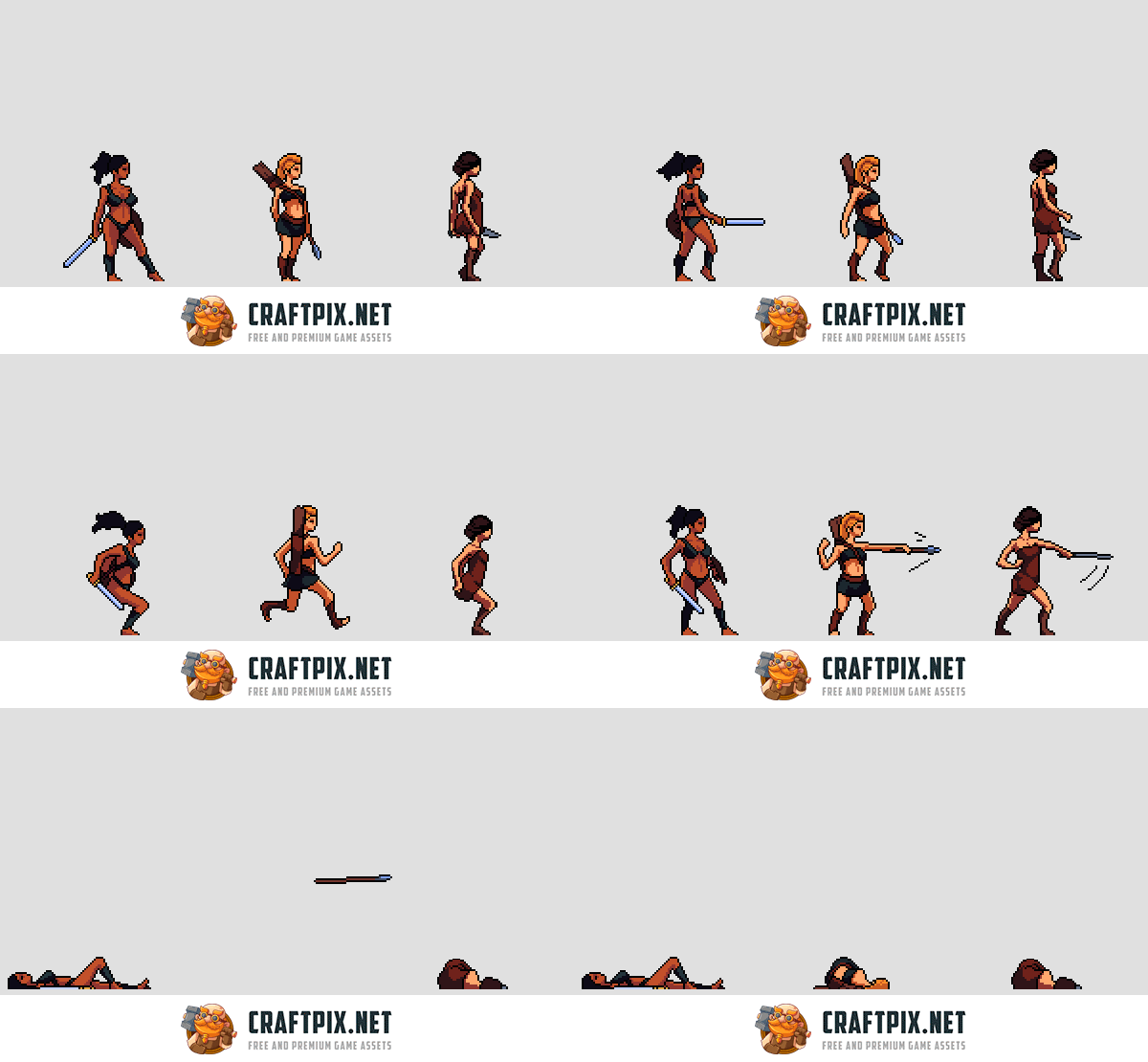
High-quality pixel art sprites · Multiple character animations included · Optimized for 2D platformers
This pack provides essential, ready-to-use 2D character assets that can significantly speed up development for pixel art platformer games.

Includes rulebook, dice, and adventure module · Designed for new players · Features a compelling starter adventure
While not a direct game development asset, this starter set is a fantastic resource for learning game mechanics, storytelling, and world-building, which are crucial skills for any game developer.
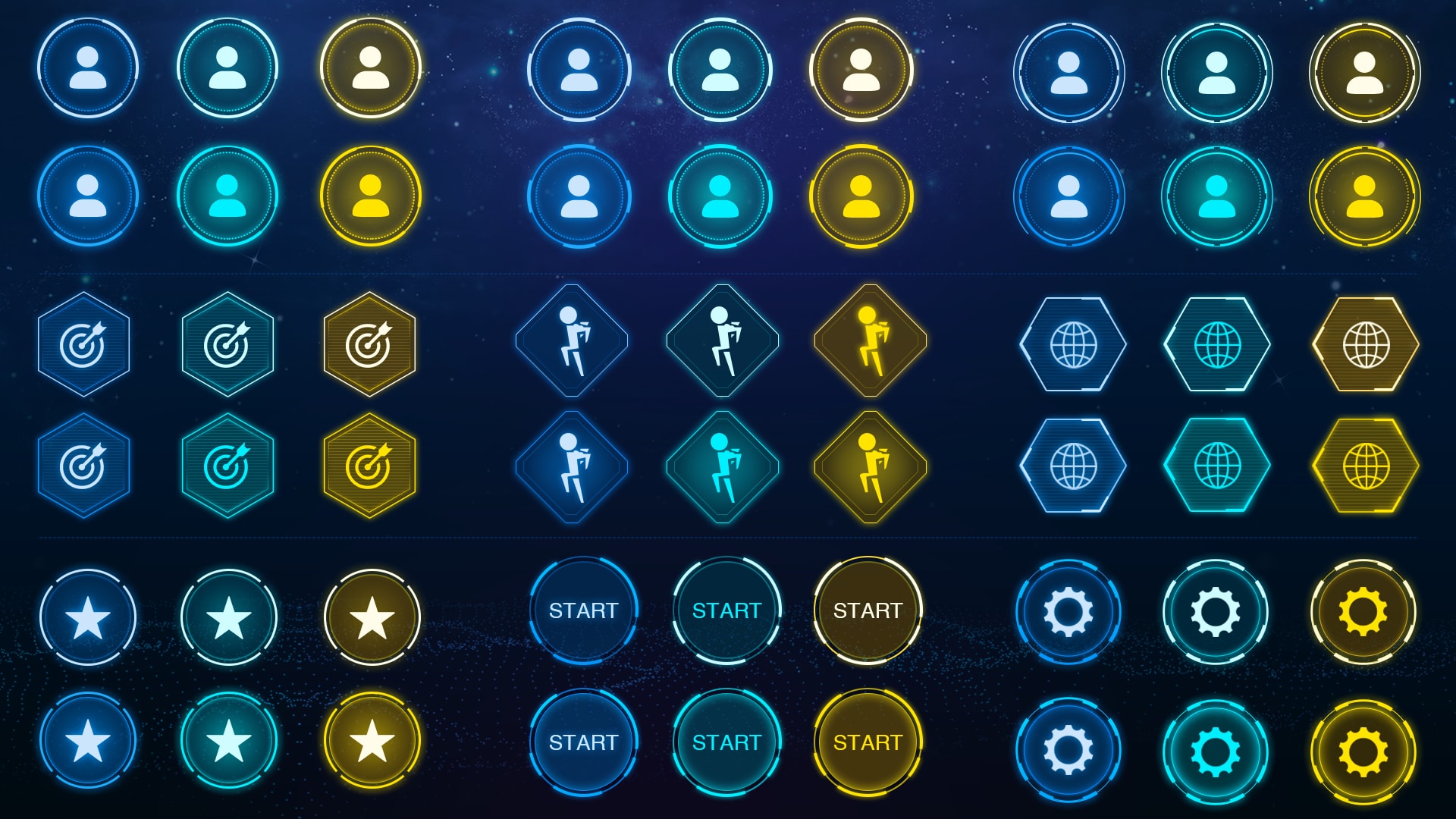
High-resolution sci-fi themed icons · Vector and PNG formats · Designed for game UI
This pack offers professional, thematic UI icons that are essential for creating an immersive and polished user experience in sci-fi games developed with Unreal Engine.
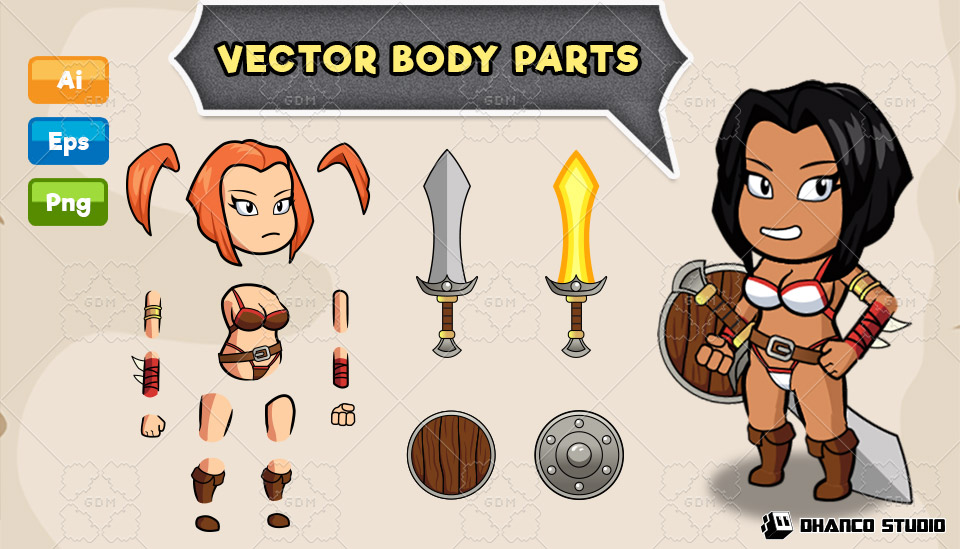
Variety of cartoon enemy designs · Includes attack and idle animations · Suitable for various game genres
This bundle provides a diverse collection of visually appealing 2D enemy sprites that can quickly add life and variety to game environments.
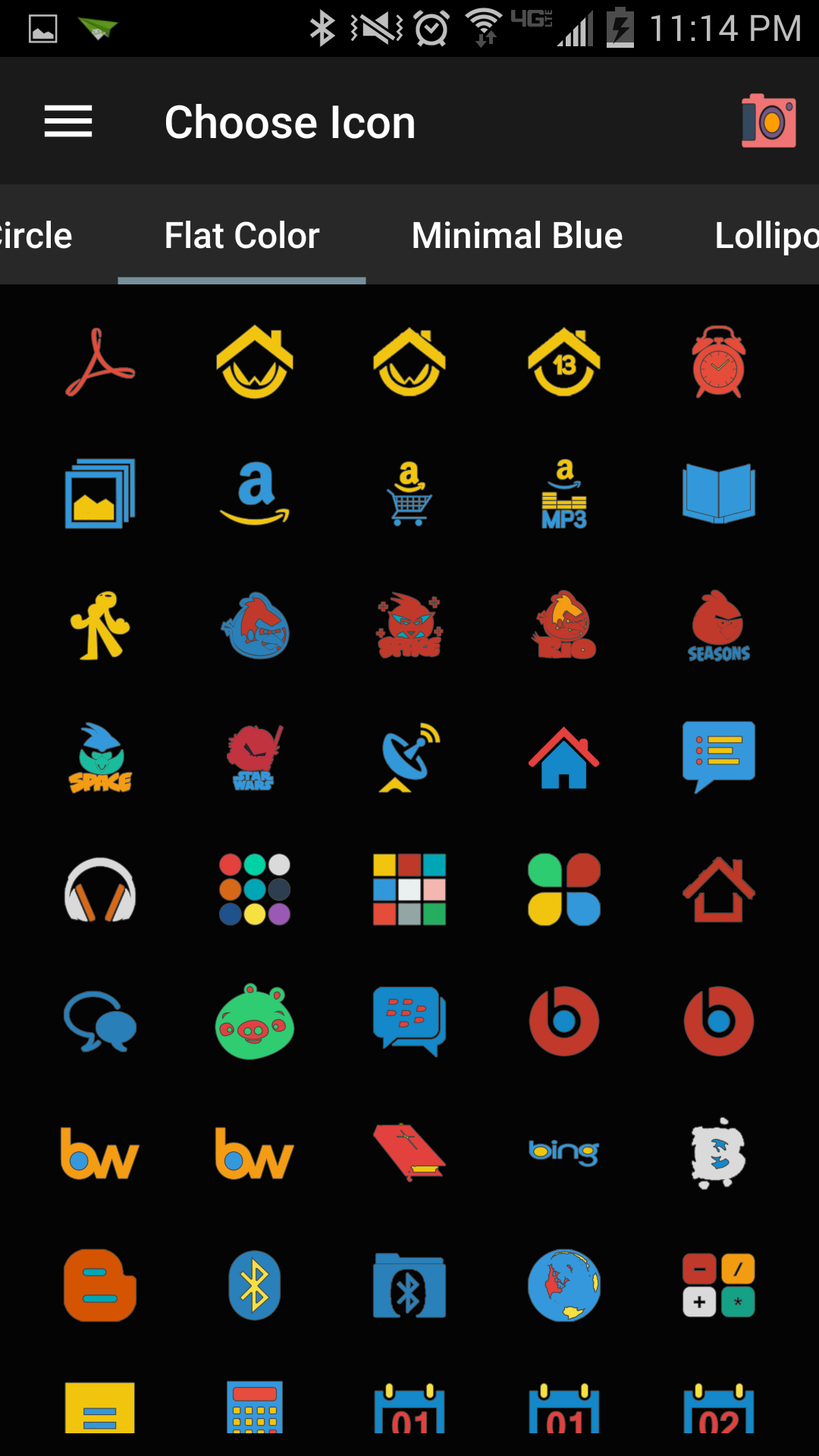
Clean, modern flat design · Large variety of universal icons · Scalable vector formats
This collection offers a broad selection of high-quality, adaptable UI icons that are crucial for creating intuitive and aesthetically pleasing interfaces in any game project.
As an Amazon Associate I earn from qualifying purchases. Prices may vary.
Icon formats and compatibility
When it comes to icons, both Unity and Unreal Engine support common formats like PNG and SVG. PNG is the workhorse format, offering good compression and compatibility across platforms. However, SVG (Scalable Vector Graphics) is becoming increasingly popular, especially for icons, as it allows for lossless scaling without pixelation. This is crucial for supporting high-resolution displays.
Unity handles SVG import through various plugins and asset packages. While it's not natively supported, the process is relatively straightforward. Unreal Engine also requires plugins for full SVG support, but its material editor allows for some level of vector graphic manipulation. Generally, PNG is the safest bet for broad compatibility, but SVG offers superior quality if you’re willing to invest in the setup.
Game-icons.net is still the best spot for free assets. They updated their library on April 23, 2026, and they're still adding about a dozen symbols every week. These work in both engines, though you'll have to tweak the scaling and colors to make them fit your UI. If they look blurry, check your import compression settings first.
Scripting and Visual Scripting
Unity primarily uses C# as its scripting language. C# is a relatively easy-to-learn language, making Unity accessible to developers with limited programming experience. It's a powerful language with a large community and plenty of online resources. The scripting workflow in Unity is generally considered straightforward and efficient.
Unreal Engine, on the other hand, traditionally used C++, a more complex and demanding language. However, Unreal has made significant strides in accessibility with its Blueprint Visual Scripting system. Blueprint allows developers to create game logic without writing any code, using a node-based interface. This is a huge boon for artists and designers who want to prototype ideas quickly.
While Blueprint is powerful, it can become unwieldy for complex systems. C++ still offers the highest level of control and performance optimization in Unreal Engine. The choice between C# and C++/Blueprint often comes down to personal preference and the complexity of the project. Many developers use a combination of both, leveraging Blueprint for prototyping and C++ for performance-critical tasks.
- Unity uses C#, which is easier to learn and has a massive community for troubleshooting.
- Unreal (C++): High performance, maximum control, steeper learning curve.
- Unreal (Blueprint): Visual scripting, accessible to non-programmers, can become complex.
Scripting Language Comparison: Unity vs. Unreal Engine (2026)
| Scripting Language | Learning Curve | Control Level | Performance | Community Support |
|---|---|---|---|---|
| C# (Unity) | Moderate | Moderate | Good | Large 🚀 |
| C++ (Unreal Engine) | Hard | High | Fast | Large |
| Blueprint (Unreal Engine) | Easy | Moderate | Moderate | Large |
| Visual Scripting (Unity - Bolt/Visual Scripting) | Easy | Moderate | Moderate | Growing 🌱 |
| Lua (Both - via plugins) | Easy | Moderate | Good | Moderate |
Illustrative comparison based on the article research brief. Verify current pricing, limits, and product details in the official docs before relying on it.
2D Game Development Focus
Historically, Unity has been the preferred engine for 2D game development. It has a dedicated 2D workflow with specific tools for sprite editing, tilemap creation, and 2D physics. This makes it easier to create 2D games without having to work around 3D-focused features.
Unreal Engine has been catching up in recent years, with improved 2D support and features like 2D tilemap editors. However, it still feels less natural for 2D development than Unity. Performance can also be a concern in Unreal for large-scale 2D projects, as the engine is optimized for 3D rendering.
For indie developers starting with 2D games, Unity remains a solid choice. The asset store is brimming with 2D assets, and the learning curve is less daunting. However, Unreal is a viable option if you’re aiming for a unique visual style or plan to expand into 3D later on.
URP vs Nanite
Rendering pipelines define how your game’s visuals are processed and displayed. Unity’s Universal Render Pipeline (URP) is designed to deliver good performance across a wide range of platforms, from mobile to high-end PCs. It’s a scalable pipeline that allows you to adjust the visual quality to match your target hardware.
Unreal Engine’s Nanite is a groundbreaking virtualized geometry technology that allows you to import film-quality assets directly into your game without worrying about polygon counts. This enables incredibly detailed visuals, but it requires powerful hardware to run effectively. Nanite isn’t suitable for all projects – it excels in environments with static geometry.
The choice between URP and Nanite depends on your game’s visual style and target platform. If you’re aiming for realistic graphics on high-end hardware, Nanite is a game-changer. If you need cross-platform compatibility and good performance on lower-end devices, URP is the better option. It's important to consider the trade-offs between visual fidelity and performance.
Standout Asset Creators
The quality of assets available on both stores is constantly improving, and several creators consistently deliver exceptional work. On the Unity Asset Store, Bitgem is known for their high-quality 2D sprites and character packs. Their work is consistently polished and well-optimized.
On the Unreal Engine Marketplace, Dekogon stands out for their incredibly detailed 3D environments and props. While they focus on 3D, their attention to detail and artistic skill is remarkable. Finding dedicated icon creators is harder on Unreal, but searching for 'UI packs' can yield good results.
Supporting these talented creators is crucial for maintaining a vibrant ecosystem. By purchasing their assets, you’re not only saving time and effort but also encouraging them to continue producing high-quality content.
Unity Resources 🚀
- Unity Learn - Official learning platform with tutorials and projects for all skill levels.
- Unity Documentation - Comprehensive reference for the Unity API and engine features.
- Brackeys - Popular YouTube channel with clear and concise Unity tutorials (though no longer actively updated, the archive is valuable).
- Jason Weimann - YouTube channel offering in-depth Unity tutorials and insights into game development best practices.
- Zenva Academy - Offers a range of Unity courses, from beginner to advanced, covering various game genres.
- Unity Forums - Active community forum for asking questions, sharing knowledge, and getting help with Unity projects.
- Unity Discord - Official Unity Discord server for real-time communication and support.
No comments yet. Be the first to share your thoughts!