
Where icon design stands in 2026
The world of game icons has changed dramatically in the last few years. Back in 2023, hand-crafted sprites were still the dominant force, a necessity for most developers. Now, in 2026, we’re seeing an explosion of AI-powered tools promising to generate high-quality icons with minimal effort. It’s a bit overwhelming, honestly, and developers are rightly trying to figure out what makes sense for their projects.
However, the sheer availability of options doesn’t automatically make AI the best choice. Quality, consistency with a game’s established art direction, and even ownership are still huge considerations. The core needs of game development haven’t changed – we still need assets that look good, function well, and fit the overall aesthetic. The tools to get those assets have just expanded.
This isn’t a simple "AI versus human" debate. It's about understanding the strengths and weaknesses of each approach and making informed decisions. The reliance on individual artists and small studios creating every asset from scratch is lessening, but the demand for skilled visual design hasn’t disappeared. It’s just…shifted.
The state of AI icon generators
As of late 2026, several AI icon generators stand out. Iconify AI is a popular choice, known for its ease of use and surprisingly good output quality for simple icons. It’s a great starting point for prototyping, but struggles with complex designs or maintaining a consistent style across a large set of assets. Pricing starts around $15/month for basic access, scaling up with usage.
SpriteForge AI is geared more specifically towards game development. It allows for more granular control over style and offers features like sprite sheet export, but it has a steeper learning curve. They offer several tiers, including a pay-per-icon option, and a subscription at $30/month for unlimited generation. The quality is generally higher than Iconify, but it often requires post-processing in a tool like Photoshop.
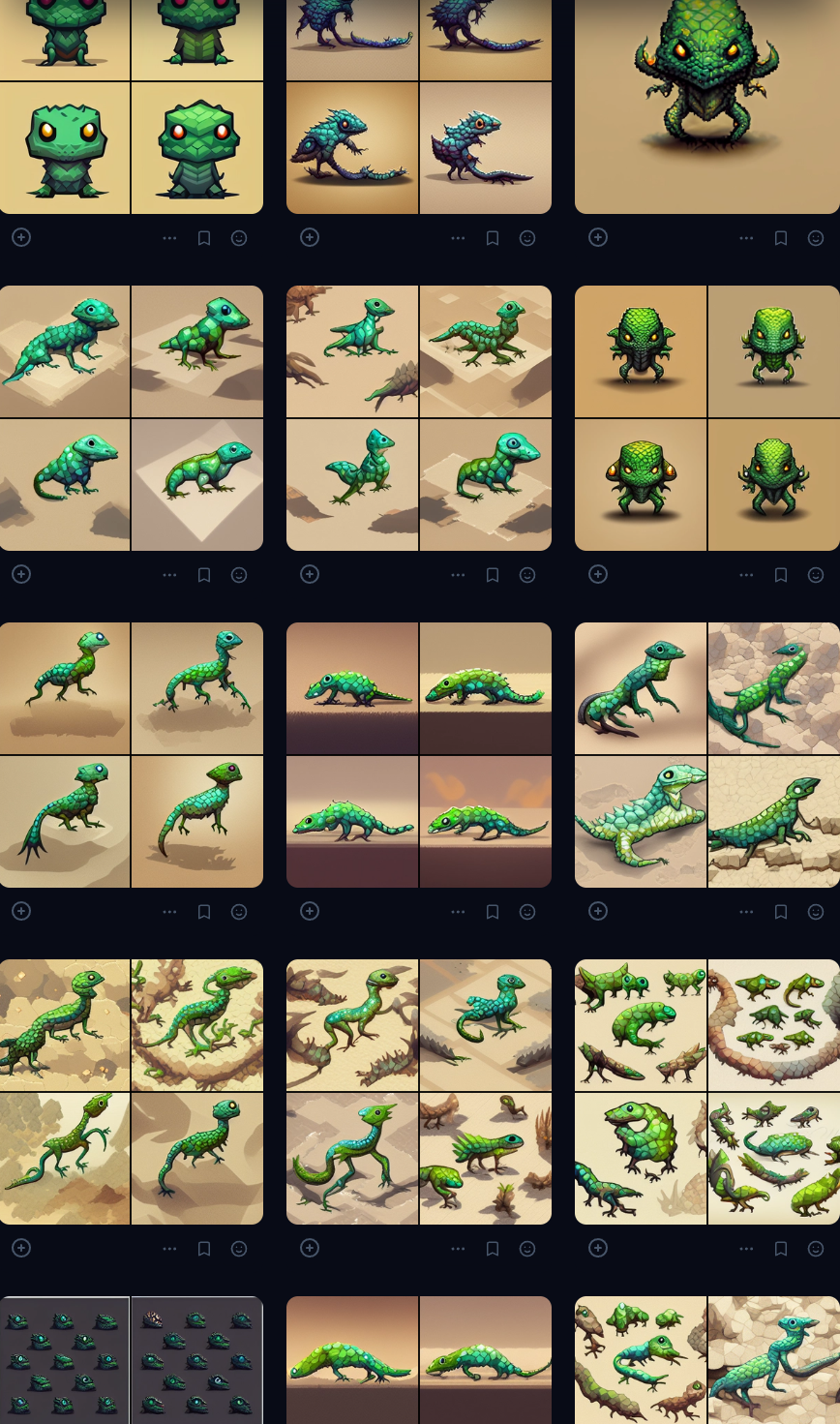
Then there’s PixelDream, which is interesting. It uses a diffusion model specifically trained on pixel art, producing results that are often very impressive. However, the licensing terms are a bit murky – you don’t fully own the generated images, which is a dealbreaker for many studios. The monthly cost is $25, and it’s limited to 500 generations.
AI still fails at the basics. Anatomy is often a mess, and perspective is hit-or-miss. I usually spend more time fixing a 'finished' AI icon in Photoshop than I would have spent just drawing the thing. Most of these tools produce a generic 'AI look' that makes your game look like every other asset-flip on the store.
Why hand-crafted sprites still win
Absolutely. Despite the advances in AI, hand-crafted sprites are far from obsolete. The biggest advantage is complete artistic control. A skilled artist can create a visual style that is perfectly tailored to your game’s aesthetic, something AI often struggles to replicate consistently. This is especially true for projects aiming for a distinct artistic identity.
There’s also the human touch. An artist can imbue icons with personality and emotion, adding subtle details that AI might miss. This is particularly important for games that rely on strong character design or storytelling. A well-crafted sprite can communicate a lot about a character or object without any text.
Hand-crafted sprites still dominate in specific niches. Pixel art games, for example, almost always rely on manually created sprites to achieve that authentic retro look. Projects with very specific aesthetic requirements, like a game based on a particular artist’s style, also benefit from a human touch. And, of course, there's the peace of mind that comes with clear ownership of the artwork.
The struggle with style matching
This is where things get tricky. AI icon generators can attempt to replicate a specific art style, but the results are often mixed. They generally perform better with simpler styles – flat design, minimalist icons – and struggle with more complex or nuanced aesthetics. Providing a detailed style guide with clear examples is crucial, but even then, consistency can be an issue.
I’ve seen some success using detailed prompts and negative prompts (telling the AI what not to include). But it almost always requires post-processing in a tool like Photoshop or Aseprite to refine the output and ensure it matches the desired style. The amount of post-processing can easily offset the time saved by using AI in the first place.
Compared to a human artist, AI often produces icons that look similar to the target style, but lack the subtle nuances and attention to detail that make a style truly cohesive. The cost of iteration is also a factor. With AI, you might need to generate dozens of variations to get a few usable icons. With a human artist, you can provide feedback and revisions directly, leading to a more efficient workflow.
- AI needs heavy prompting and manual cleanup to look decent.
- Humans handle feedback loops much faster than re-rolling prompts.
- AI: Consistency can be a challenge, especially with complex styles.
- Human: Easier to maintain a cohesive visual style.
AI-Generated vs. Hand-Crafted Game Icons: A Comparison (2026)
| Criteria | Hand-Crafted Sprites |
|---|---|
| Style Consistency | High |
| Iteration Speed 🚀 | Low |
| Artistic Control 🎨 | High |
| Cost 💰 | High |
| Licensing | High |
| Originality ✨ | High |
Illustrative comparison based on the article research brief. Verify current pricing, limits, and product details in the official docs before relying on it.
Licensing and ownership risks
This is a critical area where developers need to tread carefully. The legal landscape surrounding AI-generated art is still evolving, and the terms of service of different AI platforms vary widely. Some platforms claim ownership of the generated images, while others grant you a license to use them, but with restrictions.
For example, PixelDream's licensing terms state that you don’t fully own the generated images, which is a major red flag for many studios. Other platforms may allow commercial use, but require attribution or prohibit resale. It's absolutely essential to read the fine print before using any AI-generated art in your game.
Hiring an artist is cleaner. You pay them, you sign a contract, and you own the work. If you want to trademark your characters or sell your studio later, you won't have a legal cloud hanging over your assets. It's a higher upfront cost for peace of mind.
AI icon tools for developers
Here are a few of the best AI-powered icon generation packages available to game developers right now. I've focused on those that offer features specifically useful for game development.
SpriteForge AI: ($30/month) Excellent for game-specific icons, sprite sheet export, and style control. Requires a bit of a learning curve, but the quality is high. Good for larger projects where consistency is key.
Iconify AI: ($15/month) Very easy to use, great for prototyping and generating simple icons quickly. Ideal for smaller projects or developers who are new to AI.
PixelArt AI: (Pay-per-icon, starting at $0.50/icon) Specializes in pixel art generation. Results can be impressive, but licensing terms need careful review.
GameIcon Studio: ($20/month) A newer platform that focuses on generating icons specifically for mobile games. Offers a wide range of styles and customization options.
Artify Pro: ($40/month) A more general-purpose AI art generator, but it includes features for creating sprite sheets and exporting assets in various formats. A good all-rounder.
Featured Products

Professional-grade drawing tablet with Pro Pen 3 · Large active area for detailed work · Bluetooth connectivity for wireless freedom
This tablet offers precise control for crafting detailed hand-drawn sprites and offers a professional surface for guiding AI art generation.

Access to over 20 creative apps, including Photoshop and Illustrator · 100GB of cloud storage · Subscription for 12 months
Adobe Creative Cloud provides the industry-standard tools necessary for both traditional sprite creation and the refinement of AI-generated game assets.

Comprehensive guide for beginners · Focuses on digital painting techniques · Covers art creation on an iPad with Procreate
This book is perfect for developers new to digital art, offering a clear path to creating unique sprites and guiding AI art within Procreate.

Professional illustration and comic creation software · Perpetual license for long-term use · Advanced features for detailed artwork
CLIP STUDIO PAINT EX is a powerful tool for artists, enabling the creation of intricate hand-crafted sprites and providing the detail needed to direct AI image generation effectively.

Affordable graphics drawing tablet · Battery-free stylus with 8192 levels of pen pressure · Touch strip and 8 customizable shortcut keys
This budget-friendly tablet offers excellent pen pressure sensitivity for detailed sprite work and is versatile enough to assist in refining AI-generated icons.
As an Amazon Associate I earn from qualifying purchases. Prices may vary.
Choosing between AI and artists
So, when should you use AI-generated icons, and when should you invest in hand-crafted sprites? Here’s a practical guide. If you’re on a tight budget and need a large number of simple icons quickly, AI is a good option. It's also useful for prototyping and experimenting with different visual styles.
If artistic vision is paramount, and you need icons that perfectly match your game’s aesthetic, a human artist is the way to go. This is especially true for projects with a unique or distinctive art style. Also, if you’re concerned about licensing or ownership, commissioning an artist provides the most security.
Consider the scope of your project. For a small indie game with limited resources, AI might be a viable solution. For a large-scale commercial project, investing in high-quality, hand-crafted sprites is almost always worth the cost. Here’s a quick checklist:
Here's a quick checklist to help you decide:
- Budget: AI is cheaper for large volumes.
- Artistic Vision: Human artists offer greater control.
- Project Scope: Smaller projects can leverage AI, larger projects benefit from human expertise.
- Licensing: Commissioned art provides clear ownership.


No comments yet. Be the first to share your thoughts!