The state of game icons in 2026
Game developers are churning through assets faster than ever. While AI tools are flooding the market with cheap options, the demand for high-quality, hand-drawn sprites hasn't actually dropped. We have more choices now, but that makes picking the right workflow harder.
The types of icons needed vary greatly depending on the game’s style. Pixel art games, like those you’d find using resources from game-icons.net, require icons built pixel-by-pixel, demanding a specific skillset. Vector graphics are common for mobile games and more streamlined interfaces, while some projects even utilize 3D icons for a more modern look. Each style presents unique challenges and opportunities for both AI and human artists.
This isn't just about aesthetics either. Good icons contribute to usability, helping players quickly understand in-game elements and navigate menus. They’re a crucial part of the user experience, and developers are increasingly recognizing that investment in quality icons pays off. The market reflects this, with a growing number of platforms dedicated to providing game development resources.
Where AI generators fall short
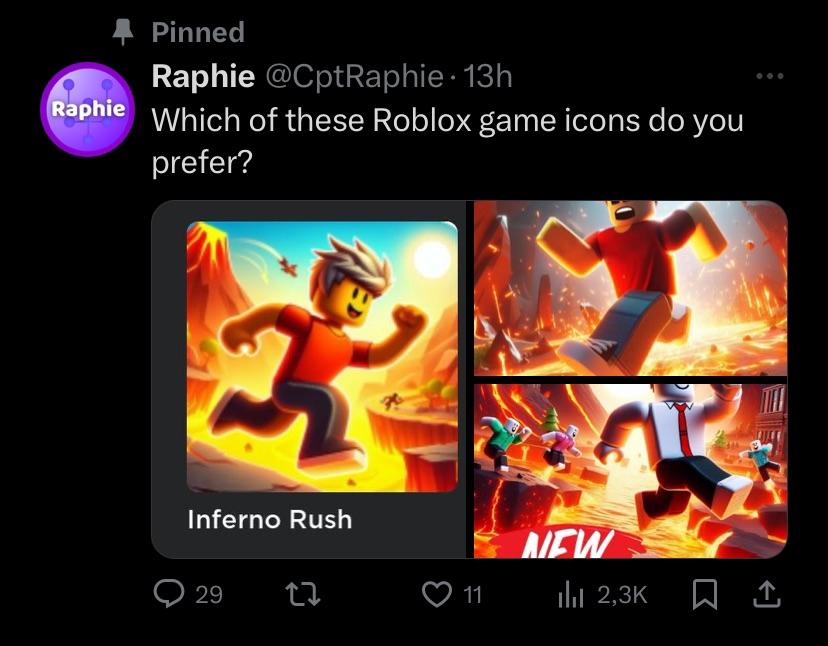
AI icon generators have come a long way in a short amount of time. Platforms like Flaticon, with their expanding AI capabilities, are at the forefront of this technology. They allow you to generate icons based on text prompts, offering a quick and relatively inexpensive way to source assets. It’s not just Flaticon though; several other tools are gaining traction, offering similar functionality and integrations.
AI tools have limits. They struggle with specific styles and often produce generic results that look like stock photos. You get what you put in; a prompt for a 'sword' usually returns a boring gray blade, while a 'pixel art claymore with blue runes' actually gives you a usable asset.
The strengths of AI lie in speed and cost. You can generate dozens of variations in minutes for a fraction of the price of commissioning an artist. But this speed comes with trade-offs. Often, you'll need to spend time refining and tweaking the generated images to fit your game's specific aesthetic. Expect to do some post-processing work, and don't assume the first result will be perfect. The API offered by Flaticon enables integration into larger workflows, which is a benefit for larger studios.
We're seeing AI tools move beyond simple icon generation, too. Some now offer features like automatic color palette generation and style matching, which can help maintain consistency across your game’s visuals. This is a positive trend, but it’s still an evolving field. Keeping up with the latest developments is essential for any developer considering using AI for icon creation.
The case for hand-crafted sprites
There’s a reason why hand-crafted sprites remain in high demand. The biggest benefit is control. When you commission an artist, you have direct input into the design process, ensuring the icons perfectly match your game’s style and vision. This level of customization is difficult to achieve with AI tools.
A skilled artist can bring a unique artistic vision to your project, creating assets that stand out from the crowd. They understand nuances of color, shape, and composition that AI algorithms often miss. This is especially important for games with a strong artistic identity or a distinctive visual style. Software like Aseprite is a favorite among pixel artists, while Photoshop and Illustrator are commonly used for vector-based icons.
The process of creating hand-crafted sprites isn’t just about technical skill; it’s about artistic expression. A good artist will understand your game’s themes and characters, and translate that understanding into compelling visual assets. It's an iterative process, involving feedback and refinement, but the end result is often worth the investment. It’s about building a partnership with a creative professional.
Comparing costs
Let's talk numbers. The cost of using AI icon generators varies depending on the platform and your usage. Flaticon, for example, offers various subscription plans, from free options with limited features to premium plans with unlimited downloads. Expect to pay anywhere from $10 to $50+ per month for a decent subscription. Per-image costs can also apply if you exceed your monthly download limit.
Hiring a freelance artist is a different story. Rates vary widely based on experience, skill level, and the complexity of the icons. As of late 2026, you can expect to pay anywhere from $20 to $100+ per icon for a simple design, and $100 to $500+ for a more detailed or complex sprite. These numbers are just estimates, of course. It really depends on the artist and the scope of the project.
However, the upfront cost isn’t the only factor to consider. With AI, you may need to spend time refining the generated images, which can add to the overall time investment. With a human artist, you’ll likely have revision rounds, but you’re also paying for their expertise and judgment. Factor in the cost of communication, feedback, and project management when making your decision.
- A basic AI subscription costs between $10 and $20 a month, though these usually cap your downloads.
- Premium AI Subscription: $30 - $50+/month (unlimited downloads)
- Freelance Artist (Simple Icon): $20 - $100/icon
- Freelance Artist (Complex Icon): $100 - $500+/icon
AI-Generated vs. Hand-Crafted Game Icons: A 2026 Comparison
| Feature | Hand-Crafted Sprites |
|---|---|
| Cost 💰 | Medium to High (dependent on artist rates) |
| Speed 🚀 | Low to Medium |
| Customization🎨 | High (full creative control) |
| Uniqueness ✨ | High (inherently unique to the artist's style) |
| Revision Rounds 🔄 | High (direct feedback loop with artist) |
| Legal Rights ⚖️ | High (artist typically transfers full copyright) |
| Scalability 📈 | Medium (scaling requires more artists and time) |
Illustrative comparison based on the article research brief. Verify current pricing, limits, and product details in the official docs before relying on it.
Licensing and Ownership: A Legal Consideration
This is where things can get tricky. When you use AI-generated assets, the licensing terms vary depending on the platform. Some platforms grant you full commercial rights, while others impose restrictions on usage. It’s crucial to read the terms of service carefully before using any AI-generated assets in your game. What rights do you actually have?
When you commission work from an artist, the copyright ownership is typically determined by your agreement. It’s standard practice for the artist to transfer the copyright to you upon full payment, but this isn’t always the case. Make sure your contract clearly specifies who owns the copyright and what usage rights you have. This is especially important if you plan to modify or redistribute the icons.
Commissioning an artist is usually safer for your legal department. You can sign a contract that guarantees you own the copyright. With AI, you're stuck with whatever the platform's terms of service say today, and those rules change constantly. If you're building a commercial product, check the fine print on AI ownership before you ship.
Top AI Icon Generators & Asset Packs (2026)
The AI icon generation space is moving fast, but here are a few tools worth checking out in 2026. Keep in mind that features and pricing are subject to change, so always verify the latest information on the provider’s website.
Flaticon AI: As mentioned earlier, Flaticon’s AI capabilities are quite robust. They offer a wide range of customization options and integrations, making it a popular choice for game developers. Pricing varies depending on the subscription plan.
Icons8 AI: Icons8 also offers AI-powered icon generation, with a focus on simplicity and ease of use. They have a large library of pre-designed icons, which you can use as a starting point for your own creations.
Noun Project AI: The Noun Project is well-known for its extensive collection of icons. Their AI tools allow you to generate variations of existing icons or create entirely new ones from scratch. They also offer integrations with popular design tools.
Craiyon (formerly DALL-E mini): While not specifically designed for icons, Craiyon can generate surprisingly good results with the right prompts. It’s a free option, but the quality can be inconsistent.
Bing Image Creator: Microsoft’s Bing Image Creator, powered by DALL-E 3, is another free option that can generate icons based on text prompts. It's surprisingly capable, but again, results can vary.
AssetForge: While not purely AI, AssetForge is a procedural asset creation tool that allows you to quickly build 3D icons and environments. It’s a good option if you need a large number of assets in a consistent style.
- Flaticon AI is a subscription service that integrates directly into most design workflows.
- Icons8 AI: Subscription-based, varying prices.
- Noun Project AI: Subscription-based, varying prices.
- Craiyon: Free.
- Bing Image Creator: Free.
- AssetForge: One-time purchase.
Finding & Hiring Skilled Sprite Artists
If you’ve decided that the human touch is the way to go, here are some resources for finding and hiring talented sprite artists. ArtStation is a great place to browse portfolios and connect with artists. Fiverr and Upwork are popular freelance platforms with a large pool of talent.
When writing a job brief, be as specific as possible about your needs. Include examples of the style you’re looking for, the number of icons you need, and your budget. Clearly communicate your expectations and be open to feedback. A good artist will appreciate a well-defined brief.
When evaluating artists' portfolios, pay attention to their consistency and attention to detail. Look for artists who have experience creating icons in the style you need. Don't be afraid to ask for references or request a test piece. Clear communication and realistic expectations are key to a successful collaboration.
Essential Tools for Crafting Stunning Game Icons

Large active area for expansive creativity · Pro Pen 3 with customizable settings · Bluetooth connectivity for wireless freedom
This tablet provides the precision and control needed for detailed, hand-crafted game icons.

Access to over 20 industry-standard creative apps · 100GB of cloud storage · 12-month subscription for continuous access
Adobe Creative Cloud offers the professional software suite required for both traditional and AI-assisted game icon creation.

Step-by-step tutorials for beginners · Focuses on Procreate app for iPad · Covers essential digital painting techniques
This guide introduces foundational digital art skills, perfect for creating hand-crafted icons using an iPad.
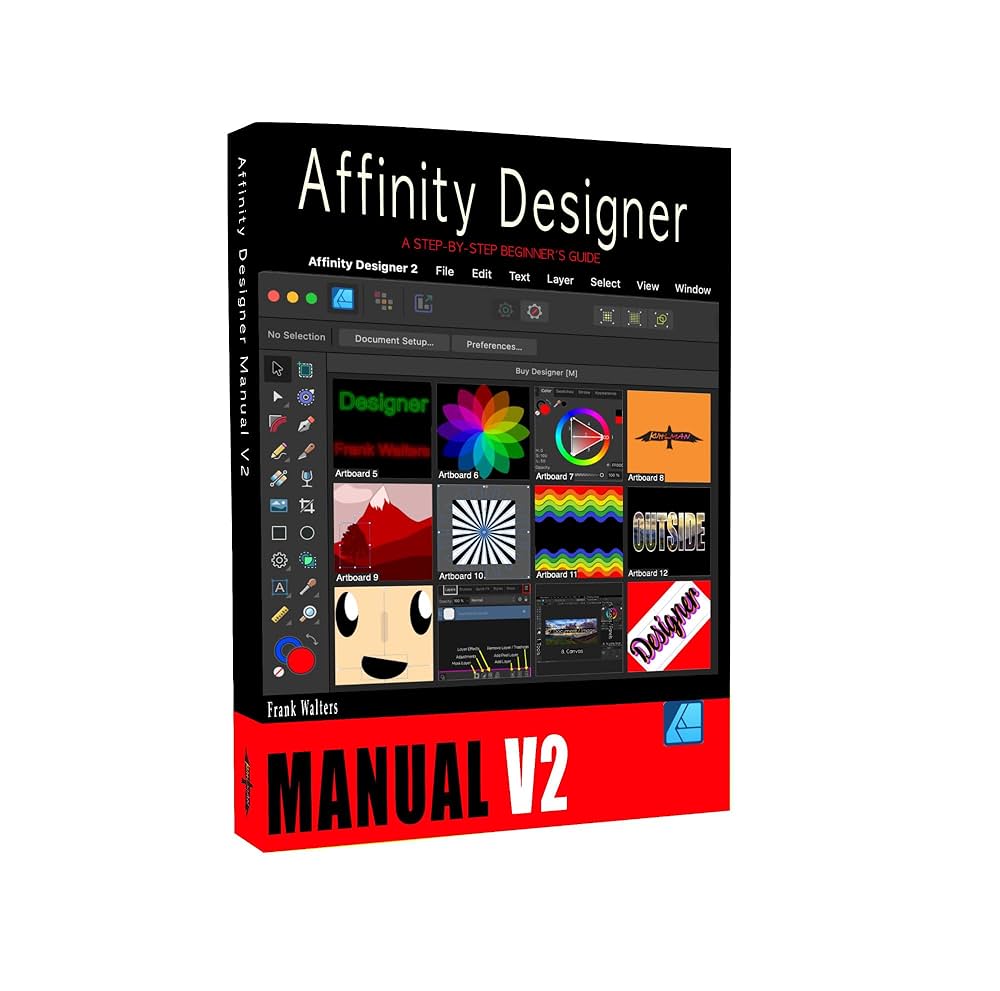
Professional vector design tools · One-time purchase with perpetual license · Cross-platform compatibility (Mac, Windows, iPad)
Affinity Designer is a robust, cost-effective tool for creating professional, scalable game icons.

Detailed plastic miniatures · Part of the Warhammer Age of Sigmar range · Can be used for inspiration and reference
These miniatures can provide unique visual inspiration for thematic game icons, bridging physical and digital art.
As an Amazon Associate I earn from qualifying purchases. Prices may vary.


No comments yet. Be the first to share your thoughts!