
Where game icons started
Early game art was a product of necessity. When you only have an 8x8 grid, every pixel is a design choice. Developers for the Atari 2600 or NES couldn't afford visual fluff; they needed shapes that players recognized instantly, like the sharp silhouette of a Space Invader. This constraint birthed the clarity we still aim for today.
As technology advanced, so did the complexity of game graphics. The transition from 8-bit to 16-bit graphics allowed for more detailed sprites and a wider color palette. This spurred a period of experimentation in visual style, moving from simple geometric shapes to more representational imagery. The introduction of vector graphics offered scalability without pixelation, a significant leap forward for icon design.
Today, icons serve a critical role in usability and player experience. They communicate information quickly and efficiently, guiding players through menus, inventories, and gameplay mechanics. A well-designed icon isn't just visually appealing; it’s instantly understandable. The best icons minimize cognitive load, allowing players to focus on the game itself. This is why understanding the history of icon design is valuable – it reveals the principles that still apply regardless of the tools used.
Establishing what constitutes a "good" game icon is fundamental. Clarity, readability at small sizes, and consistency with the game's overall art style are essential. An effective icon should communicate its function at a glance, avoiding ambiguity. Whether generated by AI or meticulously hand-crafted, these core principles remain constant. The following sections will explore how each method stacks up against these standards.
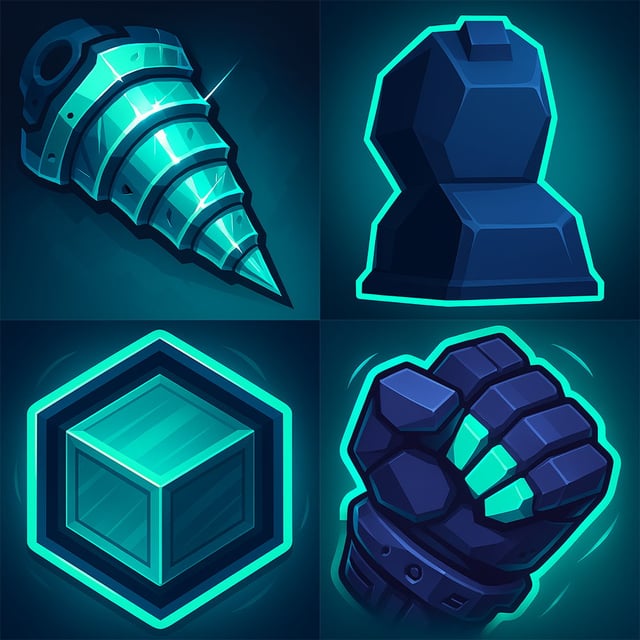
AI Icon Generators: The Current Players
AI icon tools are moving fast. Flaticon and The Noun Project now let you generate basic vectors from text prompts. These are best for UI buttons or simple menu symbols where you need speed over a specific artistic soul. They rely on their existing libraries to keep the outputs grounded.
More powerful, general-purpose AI image generators like Midjourney and DALL-E 2 can also be used to create game icons, but they require more finesse and experimentation. These tools excel at generating complex, detailed images, but translating that power to the specific needs of game icon design – small size, clarity, consistency – can be challenging. They often require significant post-processing to achieve a polished result.
Input methods vary between platforms. Flaticon and Noun Project primarily rely on text prompts, allowing users to describe the desired icon in natural language. Midjourney and DALL-E 2 support both text prompts and image uploads, enabling users to provide visual references or modify existing images. Style references are also crucial; specifying an art style (e.g., 'pixel art,' 'vector illustration') significantly influences the output.
However, a key weakness of many AI icon generators is a lack of specific control over details. Achieving a consistent style across a large set of icons can be difficult, and the AI may introduce unwanted artifacts or inconsistencies. Prompt engineering – crafting precise and detailed prompts – is essential to mitigate these issues, but it requires skill and patience. The quality of the output is heavily dependent on the quality of the input.
- Flaticon AI: Text-based prompts, focus on vector icons.
- Noun Project AI: Text-based prompts, leverages existing icon library.
- Midjourney: Text and image prompts, high-quality but requires refinement.
- DALL-E 3: Better prompt adherence than older versions but still struggles with consistent line weights.
The reality of hand-drawing sprites
Creating game icons and sprites manually is a time-honored tradition, demanding a unique blend of artistic skill and technical knowledge. Software options abound, ranging from dedicated pixel art editors like Aseprite to industry-standard tools like Adobe Photoshop and Illustrator. Aseprite, specifically, is popular among indie developers due to its optimized workflow for pixel-based art.
The skills required are diverse. Pixel art necessitates a deep understanding of color palettes, dithering techniques, and shape construction within a limited resolution. Vector art, on the other hand, demands proficiency in path manipulation, Bézier curves, and scalability. Regardless of the chosen medium, a strong grasp of color theory and visual design principles is crucial.
The time investment is significant. Even seemingly simple icons can take hours to create, especially when striving for a polished, professional look. Complex animations or multiple variations of a single icon further increase the workload. Freelance artists offer a solution for developers lacking the necessary skills or time, but this introduces additional costs.
Despite the time and effort, hand-crafting sprites offers unparalleled artistic control. Developers can create a truly unique visual style that perfectly complements their game. This level of customization is often difficult to achieve with AI-generated icons, which can sometimes feel generic or lack personality. Asset stores also provide pre-made sprites, but these may require modification to fit a specific project.
Visual polish vs. AI artifacts
When comparing the visual quality of AI-generated icons to hand-crafted sprites, several key differences emerge. AI-generated icons often struggle with consistency, particularly when generating a large set of icons with a unified style. Subtle variations in color, shape, or detail can be noticeable, disrupting the overall visual cohesion.
Resolution and detail are also areas where hand-crafted sprites often excel. While AI can generate high-resolution images, translating that detail to the small scale of a game icon can be problematic. Artifacts, blurring, or unwanted textures can appear, requiring manual cleanup. Skilled artists can meticulously craft each pixel, ensuring clarity and sharpness even at low resolutions.
Stylistic flexibility is another point of contention. AI tools are improving in their ability to mimic different art styles, but they often fall short of replicating the nuance and subtlety of a human artist. Achieving a specific, unique style can be challenging, and the AI may produce results that feel derivative or generic. Hand-crafted sprites allow for complete control over every aspect of the visual style.
However, AI is rapidly improving. Newer models are demonstrating a greater ability to maintain consistency and generate detailed images. The gap in visual quality is narrowing, but currently, hand-crafted sprites generally offer a higher level of polish and control. Often, the AI-generated images need significant refinement to be truly usable.
AI-Generated vs. Hand-Crafted Game Icons: Comparative Analysis - 2026 Outlook
| Criteria | Hand-Crafted Sprites |
|---|---|
| Detail Level | High. Skilled artists can precisely control every pixel, allowing for intricate details and highly refined visuals. |
| Style Consistency | Excellent. A single artist or a small, coordinated team can ensure pixel-perfect consistency in style, color palettes, and overall aesthetic. |
| Artistic Uniqueness | High. Hand-crafted sprites offer the highest potential for artistic originality, reflecting the artist’s individual style and creative vision. |
| Revision Control | Easy. Traditional sprite editing tools provide granular control over every aspect of the image, simplifying revisions and allowing for precise adjustments. Robust version control is standard practice. |
| Scalability | Medium. Scaling hand-crafted sprite production requires a larger team of artists, increasing costs and potentially extending development timelines. |
| Cost-Effectiveness | Potentially High. Cost varies greatly depending on artist skill, experience, and location. Can be expensive for large projects, but offers superior quality and control. |
Illustrative comparison based on the article research brief. Verify current pricing, limits, and product details in the official docs before relying on it.
Cost & Time: A Practical Breakdown
The cost and time investment vary drastically between the two methods. Hand-crafted sprites involve the cost of software (Aseprite is around $20, Photoshop subscriptions start at $23/month) and, potentially, artist fees. A freelance artist might charge anywhere from $20 to $100+ per icon, depending on complexity and experience.
Creating a set of 50 icons manually could take weeks or even months, depending on the artist’s speed and the level of detail required. Even with a skilled artist, revisions and refinements add to the timeline. The total cost could easily reach several thousand dollars. The time commitment is a major factor for smaller teams or solo developers.
AI-generated icons, on the other hand, offer a potentially faster and cheaper alternative. Subscription fees for AI image generators range from $10 to $30 per month, depending on the platform and usage limits. Generating 50 icons could take a few hours, but the time spent crafting effective prompts and refining the results should not be underestimated.
The hidden costs of AI include the time needed to write and test prompts, the potential for generating unusable images, and the effort required for post-processing. While the upfront cost may be lower, the overall time investment can be surprisingly high. It's crucial to factor in all these costs when comparing the two methods.
- Software (Hand-Crafted): Aseprite ($20), Photoshop ($23+/month)
- Freelance Artist: $20 - $100+/icon
- AI Subscription: $10 - $30+/month
- Time (50 Icons - Hand-Crafted): Weeks to months
- Time (50 Icons - AI): Hours + refinement time
Essential Tools for Game Icon Creation: AI vs. Hand-Crafted

Professional-grade pressure sensitivity for nuanced line work · Ergonomic Pro Pen 3 for comfortable extended use · Bluetooth connectivity for wireless freedom
This tablet offers unparalleled precision and control, essential for detailed hand-crafted sprite art and fine-tuning AI-generated assets.

Large 11x6 inch active drawing area · Battery-free stylus with tilt function for natural drawing · Slim and portable design
A cost-effective yet capable drawing tablet that provides a solid foundation for digital art creation, suitable for both beginners and experienced artists.
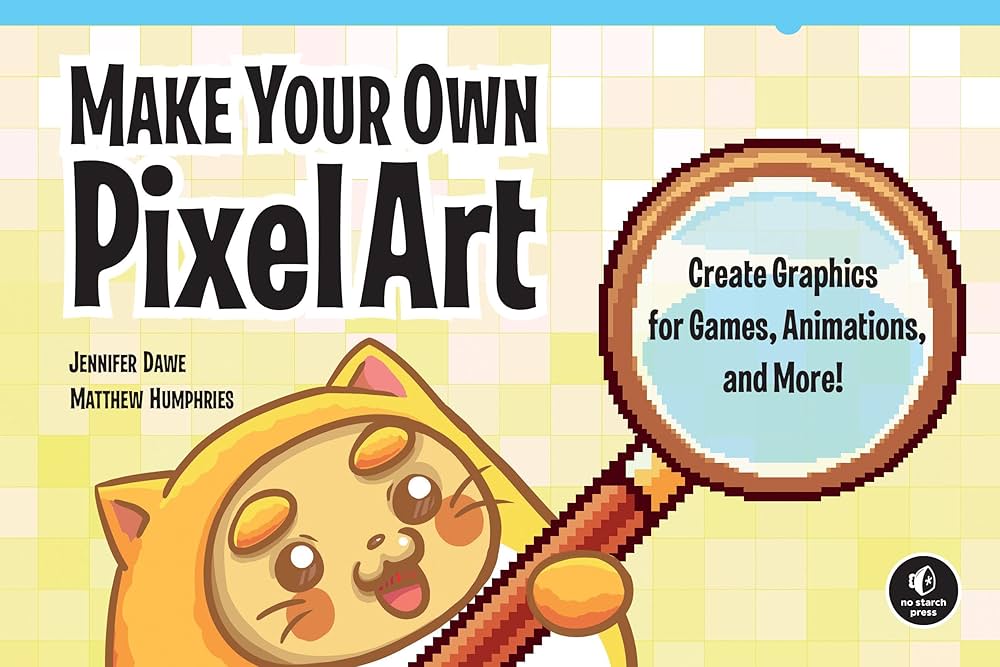
Dedicated pixel art creation and animation tools · Layer and timeline support for complex animations · Extensive export options for game development
Aseprite is the industry-standard software for pixel art, offering specialized features crucial for crafting authentic hand-drawn game sprites.

Access to a comprehensive suite of creative applications including Photoshop and Illustrator · 100GB of cloud storage · Subscription-based model for continuous updates
This subscription provides access to industry-leading software like Photoshop, which can be used for both detailed sprite work and advanced manipulation of AI-generated imagery.

Guides users through the process of generating AI art · Focuses on practical application with Midjourney · Covers prompt engineering and creative workflows
This guide offers essential knowledge for leveraging AI tools like Midjourney to produce unique game icons and assets efficiently.
As an Amazon Associate I earn from qualifying purchases. Prices may vary.
Licensing & Ownership: Who Owns the Rights?
The legal implications of using AI-generated images are complex and evolving. Currently, the question of copyright ownership is a grey area. Most AI image generators claim that users own the images they create, but this is subject to legal interpretation and potential challenges. The terms of service for each platform vary, so it’s crucial to read them carefully.
Some platforms may retain certain rights to the generated images, such as the right to use them for training purposes. Others may impose restrictions on commercial use or require attribution. It's important to understand these limitations before incorporating AI-generated icons into a commercial game.
Licensing for hand-crafted sprites is generally more straightforward. Artists typically offer royalty-free licenses, allowing developers to use the icons in their projects without further payment. Exclusive rights can also be purchased, granting the developer sole ownership of the artwork. These clear licensing terms provide greater legal certainty.
I'm not a lawyer, and the courts are still figuring this out. If you're shipping a commercial project, check the current copyright rulings on AI outputs. It's safer to assume the legal ground will shift again before your game launches.
Workflow Integration: Fitting Icons Into Your Pipeline
Integrating AI-generated icons into a game development workflow can present challenges. The output from AI tools often requires post-processing to ensure consistency and optimize for game performance. This may involve resizing, color correction, and removing unwanted artifacts. File formats also need to be considered – PNG is common for pixel art, while SVG is preferred for vector graphics.
Importing icons into game engines like Unity or Unreal Engine is generally straightforward, but optimization is crucial. Large image files can impact performance, so it’s important to compress textures and optimize sprites. AI-generated icons may require more optimization than hand-crafted sprites, which are often created with performance in mind.
Maintaining consistency across a large set of AI-generated icons can be difficult. The AI may introduce subtle variations in style or detail, disrupting the overall visual cohesion. Careful prompt engineering and manual review are essential to mitigate this issue. Using a style guide and adhering to strict design principles can also help.
Hand-crafted sprites typically integrate more seamlessly into existing workflows. Artists can create icons specifically tailored to the game’s engine and performance requirements. The direct control over every aspect of the artwork ensures consistency and minimizes the need for post-processing.
Which method do you prefer for creating game icons and sprites in your projects?
The debate between AI-generated and hand-crafted game assets continues to shape the industry in 2026. As developers and designers, your workflow choices matter. Vote below and let the Spawn Icon community know where you stand.


No comments yet. Be the first to share your thoughts!