
The 8-bit Aesthetic is Back
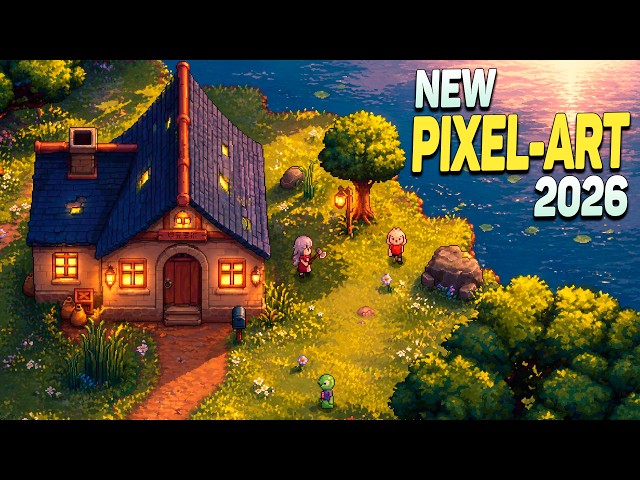
After decades of chasing photorealism, game development is experiencing a revival of 8-bit pixel art. What began as a niche trend among indie developers has bled into larger projects, influencing AAA titles and capturing the attention of a new generation of gamers. This isn't simply a nostalgic throwback; it’s a deliberate artistic choice that’s reshaping the visual identity of the gaming world.
For years, the industry was fixated on pushing graphical boundaries, striving for ever-increasing polygon counts and realistic textures. But that pursuit came at a cost – massive development budgets and lengthy production times. Pixel art offers a compelling alternative. It allows developers to create visually engaging games with smaller teams and tighter budgets. The current game market, saturated with visually similar titles, rewards distinctiveness, and pixel art delivers that.
The initial wave of pixel art's return was undoubtedly fueled by nostalgia. Many gamers grew up with the classics of the 8-bit and 16-bit eras, and those memories hold a powerful appeal. However, the staying power of this aesthetic suggests something deeper is at play. It's about a rejection of visual clutter, a focus on gameplay, and a celebration of artistic expression within constraints. Developers are recognizing that compelling visuals don't necessarily require cutting-edge technology.
Why Developers Choose Pixel Art
The resurgence of pixel art isn't just about aesthetics; it’s a pragmatic decision for many developers. Lower development costs are a significant factor. Creating detailed 3D models, rigging them for animation, and texturing them is incredibly time-consuming and expensive. Pixel art, on the other hand, allows for rapid iteration and requires a smaller team with a different skillset.
This makes it particularly appealing for indie game development. A solo developer or a small team can create a visually polished game without needing a large art budget. Tools like Aseprite and GraphicsGale are relatively inexpensive and offer powerful features for creating and editing pixel art. This accessibility democratizes game development, allowing more creative voices to be heard. Changes can be made quickly and efficiently.
Beyond cost, pixel art offers a distinct art style that can help a game stand out. In a market flooded with visually similar titles, a unique aesthetic can be a powerful differentiator. But good pixel art isn’t easy. It requires a different kind of skill – a mastery of color palettes, shape language, and the art of suggestion. It’s about conveying information with a limited number of pixels.
Does anyone know an AI tool to generate and rig Pixel art sprites?#indie #gamedev
— Kaustubh Saxena (@cos2b_dev) May 1, 2026
Asset Stores and the Rise of Icon Packs
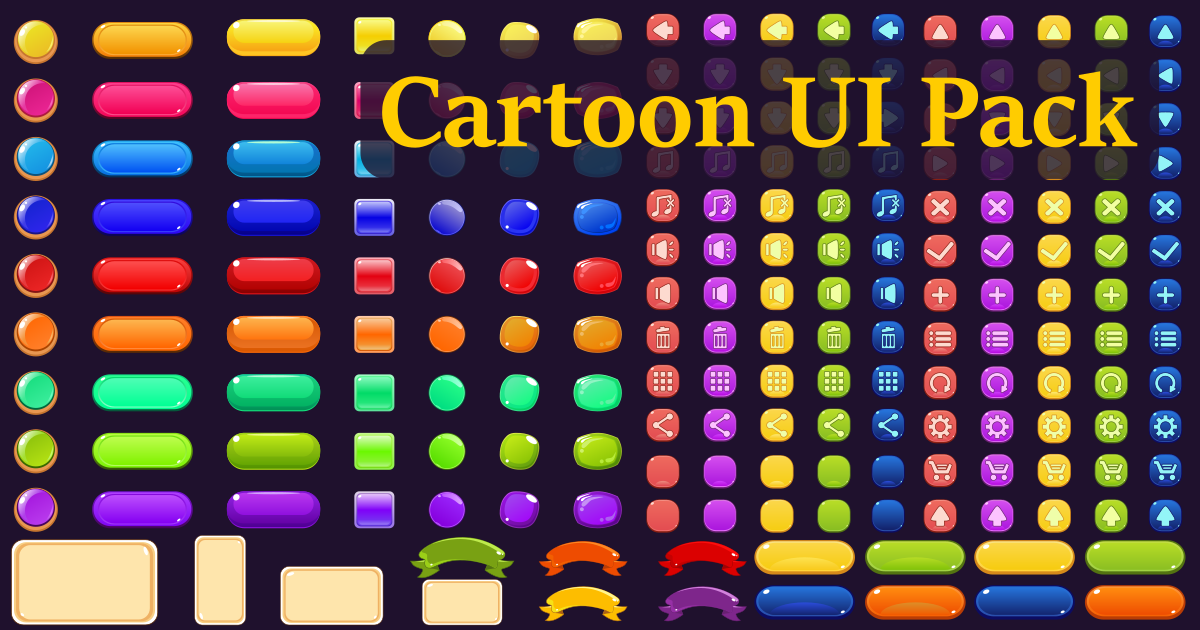
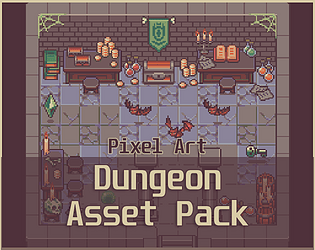
Platforms like itch.io, CraftPix.net, and OpenGameArt.org have been instrumental in fueling the pixel art revival. These sites provide a marketplace for developers to buy and sell pre-made assets, including pixel art sprites, icons, and tilesets. itch.io has become a hub for indie game developers and a treasure trove of pixel art resources. CraftPix offers a consistently high quality selection of 2D assets, including a wealth of pixel art options.
The availability of these assets dramatically lowers the barrier to entry for developers who may not have strong art skills. You can assemble a visually cohesive game using pre-made components, freeing up time to focus on gameplay and other aspects of development. The rise of dedicated icon packs – sets of meticulously crafted pixel art icons for various game elements – is a testament to this trend. These packs streamline the asset creation process and ensure a consistent visual style.
Licensing options vary widely. OpenGameArt.org is a great source for free assets licensed under Creative Commons licenses, including CC0, which allows for unrestricted use. Commercial asset stores typically offer commercial licenses that allow you to use the assets in your games for profit. Carefully review the licensing terms before using any assets in your project.
Content is being updated. Check back soon.
Beyond Nostalgia: Art Direction and Identity
Pixel art isn’t simply about replicating the look of old games. Developers are increasingly using the style in innovative ways, pushing its boundaries and creating unique visual identities. Understanding the core principles of pixel art – its limitations and strengths – and applying them to modern game design is key. This isn’t just mimicry; it’s a conscious artistic choice.
Games like Stardew Valley demonstrate how pixel art can be combined with modern game mechanics to create a compelling and immersive experience. The pixel art style contributes to the game's cozy and charming atmosphere, but the engaging gameplay and well-developed characters truly make it special. Other games are subverting expectations, using pixel art in genres where it's unexpected – like horror or sci-fi.
Using pixel art to create a specific mood or atmosphere is key. The limitations of the style – the limited color palettes, the chunky pixels – can actually enhance the emotional impact of a game. A well-executed pixel art style can be just as visually striking and emotionally resonant as a high-fidelity 3D game.
Technical Considerations: Resolution and Scaling
Working with pixel art in modern displays presents unique technical challenges. Scaling pixel art without blurring or distortion is a common issue. Simply stretching a pixel art image results in a blurry mess. The goal is to preserve the crispness and clarity of the original pixels.
Several techniques can address this. Nearest-neighbor scaling is often the preferred method, as it preserves the sharp edges of the pixels. However, this can result in a blocky appearance on high-resolution displays. Alternative scaling algorithms, like HQx or Scale2x, can provide a smoother look while still preserving the pixel art aesthetic, but they can also introduce artifacts.
Maintaining a consistent pixel aspect ratio is also crucial. If the pixels are not square, the image will appear distorted. Most game engines allow you to specify the pixel aspect ratio, ensuring that the image is displayed correctly. Consider the target platform when creating pixel art. Different platforms have different screen resolutions and pixel densities.
Notable Sprite Packs & Designers
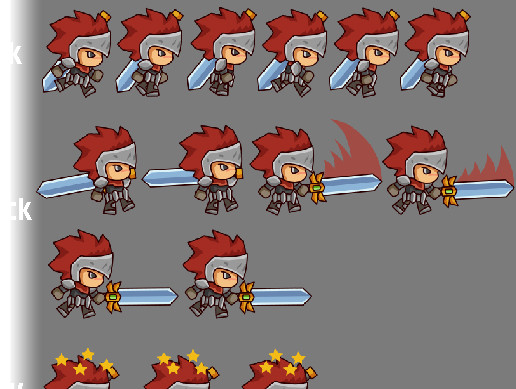
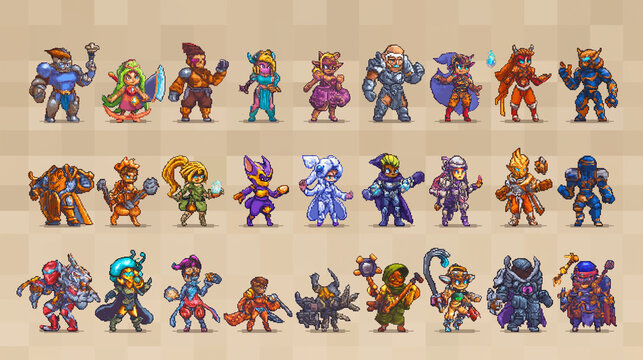
Grant Abbitt's work, available on itch.io, provides a diverse range of character sprites with a distinctive style. These packs often include multiple animations and variations, offering a lot of value for the price. Pixel Art Hero is another standout, known for detailed and expressive character designs.
Kenney offers a vast collection of free-to-use assets, including a comprehensive set of pixel art icons. These icons are well-designed and cover a wide range of game elements. CraftPix offers a wealth of professionally crafted sprite packs covering various themes and genres, often featuring high-quality animations and detailed sprites.
The pixel art community is constantly evolving. Exploring asset stores and following individual designers on platforms like Twitter and ArtStation is a great way to discover new talent and inspiration. Find assets that match your game's aesthetic and technical requirements.
The Future of 8-bit: Hybrid Approaches
undefined old with the new. We're seeing emerging trends like combining pixel art with 3D elements. For example, a game might use pixel art for the characters and environments, while rendering the lighting and effects in 3D. This creates a visually striking contrast that can be very effective.
Another interesting development is the use of pixel art for specific assets within a larger 3D game. A 3D game might use pixel art for the user interface, the character portraits, or the special effects. This adds a touch of retro charm without sacrificing the overall visual fidelity of the game. The possibilities are endless.
The potential for AI-assisted pixel art creation is also worth considering. While AI-generated pixel art is still in its early stages, it could eventually become a valuable tool for developers, allowing them to quickly create variations of existing sprites or generate new assets from scratch. However, it’s likely that human artists will still be needed to refine and polish the AI-generated output.
Where to Find Resources and Communities
For developers looking to. Derek Yu’s tutorial, “Pixel Art Tutorial: Basics,” is a great starting point for beginners. Lospec provides a comprehensive collection of pixel art tools, tutorials, and color palettes. The Pixel Art subreddit is a vibrant community where you can share your work, get feedback, and learn from others.
itch.io and OpenGameArt.org remain excellent sources for finding free and commercial pixel art assets. Following pixel art designers on Twitter and ArtStation is a great way to stay up-to-date on the latest trends and techniques. Specifically, check out the work of Paul Veer and Brandon James Greer for inspiration.
By exploring these resources and engaging with the pixel art community, you can unlock the creative potential of this timeless art style and bring your game development projects to life. Don't be afraid to experiment and find what works best for your vision.
No comments yet. Be the first to share your thoughts!