
Pick your icon style first
Defining the visual direction before you start downloading is the most critical step in the asset pipeline. A mismatched icon breaks immersion faster than a missing feature. Whether you are building a retro platformer or a modern mobile game, your UI elements must speak the same language as your core art.
Consider the three most common approaches:
Pixel Art requires strict grid constraints. Every icon must adhere to a specific resolution (e.g., 16x16 or 32x32) to maintain the jagged, nostalgic charm. This style works best for indie games or RPGs where the aesthetic is part of the identity. If you choose this route, ensure your download sources offer vector-to-pixel conversion tools or pre-rasterized sets.
Flat Design relies on solid colors, simple geometry, and minimal shading. It is the standard for casual and hyper-casual games because it loads quickly and reads clearly on small mobile screens. Flat icons are versatile and easy to animate, making them a practical choice for projects with tight deadlines.
Skeuomorphic icons mimic real-world objects with gradients, shadows, and textures. This style is rare in modern game UI but still effective for simulation or strategy games where tactile realism is desired. Be aware that skeuomorphic assets are heavier and can clutter the screen if not carefully managed.
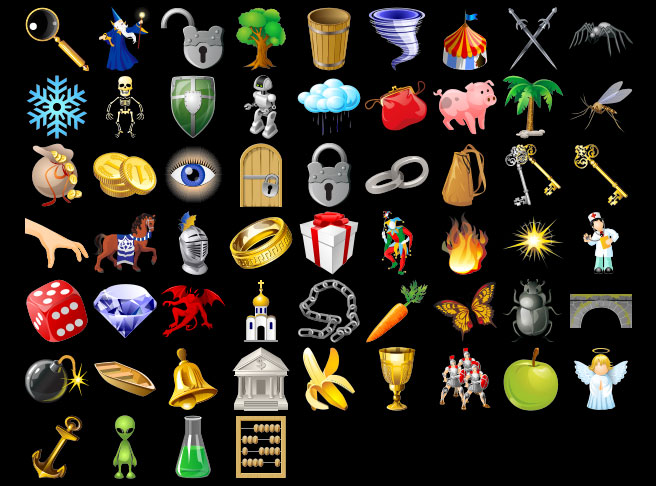
Once you select a style, filter your search results accordingly. Sites like Game-icons.net and Flaticon allow you to browse by category and visual style, saving you from sifting through irrelevant assets. Downloading a cohesive set early prevents costly redesigns later in development.
Search free icon repositories
Finding the right visual assets often determines whether a project feels polished or amateur. Rather than hiring an illustrator for every small asset, you can curate a library from specialized free icon repositories. The goal is to find assets that share a consistent art direction without violating licensing terms.
Game-Icons.net
This platform is the first stop for pixel-perfect, vector-based game symbols. It hosts over 4,000 icons organized by intuitive categories like combat, inventory, and UI elements. The collection is maintained by a small team that updates it weekly, ensuring a cohesive style across all graphics. Every icon is available in SVG and PNG formats under a Creative Commons 3.0 license, which requires attribution but allows commercial use. You can customize the color of each icon directly in the browser before downloading, ensuring they match your game’s palette without needing external editing software.
Flaticon
Flaticon offers a massive database of over 163,000 gaming-specific icons. While the variety is extensive, the art styles vary significantly between authors. Use the search filters to narrow results by style—such as "flat," "hand-drawn," or "outline"—to maintain consistency within your project. The platform provides files in SVG, EPS, PSD, and PNG. Free users must attribute the author, which can be cumbersome for large projects, but the sheer volume of assets makes it a valuable resource for prototyping or finding unique decorative elements.
Icons8
Icons8 distinguishes itself by offering icons in over 50 distinct UI design styles. If your game features a specific aesthetic, such as "retro," "neon," or "sketch," you can filter the entire library to match that vibe. This ensures that a health potion icon looks like it belongs in the same universe as a quest marker. The site provides static and animated icons in PNG, SVG, and GIF formats. While the free tier requires attribution, the ability to preview icons in your exact desired style saves significant time during the design phase.
Evaluate premium asset packs
Buying a premium game icon set saves development time and guarantees visual consistency across your user interface. Unlike assembling individual assets from free repositories, a cohesive bundle ensures that style, resolution, and lighting match perfectly. This approach is especially useful for character sprite packs or complex RPG inventory systems where uniformity matters.
When selecting a pack, check the license terms carefully. Most premium assets allow use in commercial projects, but some restrict redistribution or require attribution. Verify that the package includes the file formats you need, such as PNG for transparency or SVG for scalable UI elements.
Compare popular asset options
Use the table below to compare common premium sources and their typical offerings. This helps you decide where to look based on your specific genre and budget.
| Source | Common Style | Typical Format | Price Range |
|---|---|---|---|
| CraftPix | Fantasy, RPG, Platformer | PNG, PSD | $5–$20 |
| Itch.io | Indie, Pixel Art | PNG, GIF | Free–$15 |
| Unity Asset Store | Mobile, Casual | PNG, Spritesheet | $10–$50 |
| Amazon | Physical/Digital Bundles | Varies | $15–$40 |
For those who prefer physical media or bundled goods, Amazon offers curated collections of game asset books and digital download cards. These bundles can be a convenient way to acquire high-quality resources if you prefer a single transaction for multiple assets.


As an Amazon Associate, we may earn from qualifying purchases.
Check licensing and file formats
Before downloading any game icon, verify the license terms. Many free assets require attribution or restrict commercial use. Ignoring these details can lead to legal issues or project delays.
Identify whether the icon is public domain, Creative Commons (CC), or proprietary. Public domain icons (CC0) need no attribution. CC-BY licenses require credit in your project’s credits or documentation. Commercial licenses may require a one-time fee. Always read the specific license file linked on the download page.
Check if the license allows commercial use. Some free icons are for personal use only. If you plan to sell your game or use it in a business context, ensure the license explicitly permits commercial distribution. Look for terms like "commercial use allowed" or "monetization permitted."
Select the right format for your engine. SVG is ideal for UI icons that need to scale without quality loss. PNG is better for raster-based games or when you need transparency with specific pixel dimensions. Check your game engine’s documentation to see which formats are supported natively.
-
License allows commercial use
-
Attribution requirements noted
-
File format matches engine needs
-
Icon resolution is sufficient
Download and organize your assets
Raw downloads are rarely ready for immediate use. Game icon libraries often bundle multiple resolutions, vector sources, or mixed formats into a single archive. Treating this download phase as a raw material intake prevents chaos later in development. You need a structured approach to convert these files into clean, accessible project resources.
Unpack your downloaded archive immediately. Verify that all files are present and not corrupted. If you downloaded multiple icon packs, check for naming conflicts between different creators. Keep the original archive as a backup source until you have confirmed your working copies are identical.
Rename files to reflect their function, not just their appearance. A system like action_attack_sword.png or ui_health_bar.png is far more useful than icon_final_v2.png. Consistent naming allows your team to search for assets by intent rather than guessing which file represents a specific game mechanic.
Most game engines prefer PNG or SVG over complex vector formats like AI or EPS. Use a batch converter to standardize your library. If your project requires multiple resolutions, create separate folders for 1x, 2x, and 4x variants. This ensures your engine can pick the correct resolution without runtime scaling artifacts.
Create a dedicated assets/icons folder within your project root. Organize subfolders by category: ui, characters, items, and effects. This hierarchy mirrors how game engines typically load resources. Avoid scattering icons across multiple drives or unrelated project folders, which complicates version control and asset management.
Add a README.md or a metadata file to your icon folder. Record the source URL, creator name, and license type (CC0, MIT, or commercial) for each asset. This documentation is critical for legal compliance and attribution requirements. It saves significant time if you need to audit your assets before publishing your game.
Common questions about game icons
When sourcing game icons, the format and licensing terms dictate how easily you can integrate them into your project. Most modern engines handle vector formats natively, but understanding the technical constraints saves time during implementation.
Which file formats are best for game development?
SVG and PNG are the standard choices for game icons. SVG files scale infinitely without losing quality, making them ideal for interfaces that change resolution. PNG files are rasterized and work reliably across all platforms, especially when you need specific color palettes or transparency effects that vectors might complicate.
Can I use free game icons in a commercial project?
Licensing varies by source. Sites like Game-icons.net offer icons under Creative Commons licenses that often require attribution. Others, such as Flaticon or Icons8, may require a paid subscription for commercial use. Always verify the specific license file included in your download package to avoid legal issues.
What resolution should I download?
Download the highest resolution available, typically 512x512 pixels or larger. You can scale down icons in your game engine, but you cannot upscale them without losing clarity. If your game targets multiple screen densities, download both standard and high-DPI (2x or 3x) versions of each icon.
No comments yet. Be the first to share your thoughts!