
Choosing the right icon style
Selecting an icon style is less about personal preference and more about matching your game’s technical constraints and genre expectations. In 2026, the choice between pixel art, flat vector, and detailed raster assets dictates how your UI scales, how it loads on mobile devices, and how players perceive your game’s quality.
Pixel art remains the standard for retro-inspired or resource-light projects. Its blocky aesthetic is not just a stylistic choice; it’s a performance optimization. Pixel icons render sharply at low resolutions and require minimal processing power, making them ideal for indie games targeting older hardware or web-based platforms. However, scaling pixel art requires careful handling to avoid blurry edges, often necessitating separate assets for high-DPI displays.
Flat vector icons offer infinite scalability and a modern, clean look. They are particularly effective for strategy games, simulators, or any title where clarity and readability are paramount. Because vectors are resolution-independent, you can use a single SVG file across all screen sizes, reducing asset management overhead. The downside is that flat designs can sometimes feel sterile if not paired with strong color palettes or subtle shading techniques.
Detailed raster or hybrid styles bridge the gap between realism and abstraction. These icons often use gradients, shadows, and textures to create depth, making them suitable for RPGs, adventure games, or titles aiming for a polished, premium feel. While visually striking, they demand more storage space and processing power. Ensure your target platforms can handle the increased file sizes without compromising load times.
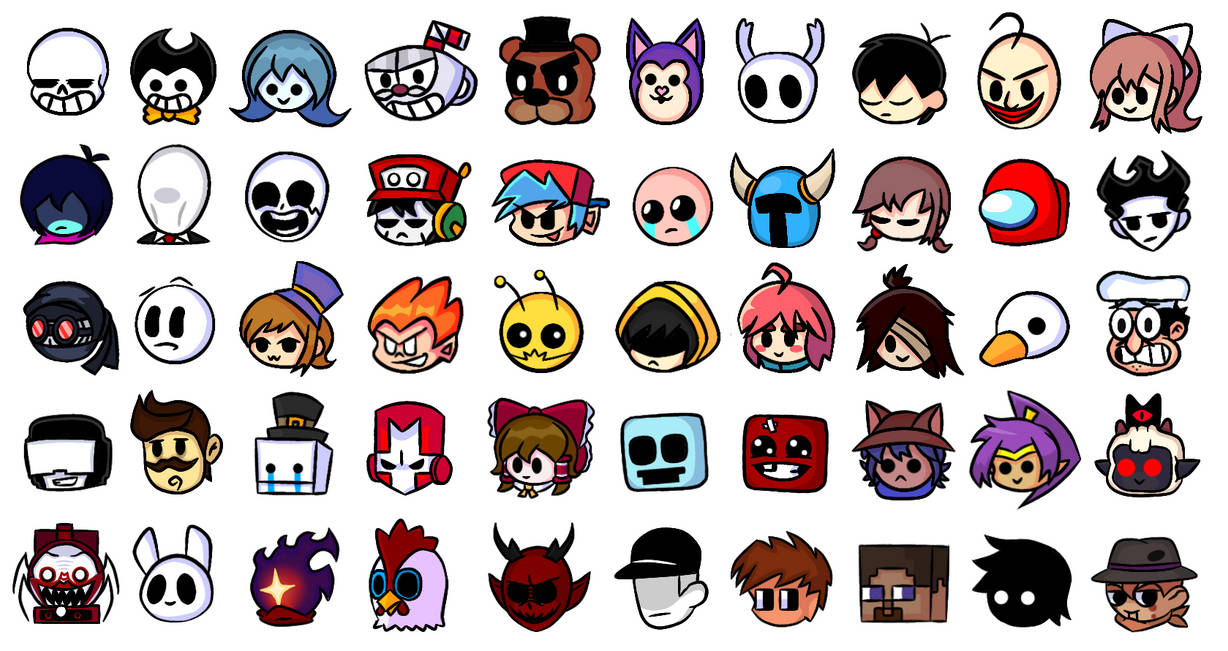
Always verify licensing before integrating any icon set. Even "free" assets often come with restrictions on commercial use or require attribution. For indie developers, clarity on commercial viability is essential to avoid legal issues down the line. Resources like Game-icons.net provide curated, well-licensed options that simplify this process, ensuring your assets are both legally sound and aesthetically appropriate for your project.
Top free icon libraries
Indie developers rarely have the budget for custom asset packs, but the 2026 landscape for free icons is far more robust than it was five years ago. You no longer need to compromise on visual identity just to stay within budget. The following resources offer high-quality, commercially viable assets that integrate cleanly into modern engines.
Top 3 free icon resources
-
Game-icons.net
This is the gold standard for functional, SVG-based icons. With over 4,000 symbols, it focuses on clarity and readability rather than heavy stylization. The open license (CC-BY 3.0) allows commercial use as long as you provide attribution, making it safe for any project. The browsing interface is intuitive, letting you filter by color or style instantly. -
Icons8 (Indie Games Set)
Icons8 provides a massive library of 50+ UI design styles, allowing you to match your icons to your game’s specific aesthetic. Whether you need flat, 3D, or hand-drawn styles, this platform offers consistent vector sets. While the free tier requires attribution, the variety ensures you can find assets that fit niche genres without breaking the bank. -
itch.io (Indie Tag)
itch.io remains the best source for unique, community-driven assets. Search for tags like "icons" and "indie" to find pixel art packs, cyberpunk UI elements, and hand-crafted symbols. Many creators here offer their work under CC0 or permissive licenses, allowing for commercial use without attribution. This is where you find assets that stand out from generic stock libraries.
Premium character sprite packs
High-fidelity character assets are the backbone of a distinctive indie identity. In 2026, the market has shifted away from generic placeholders toward cohesive, animation-ready sprite packs that define a game's visual voice. These premium collections offer more than just static icons; they provide fully rigged character sheets, idle loops, and action frames that integrate directly into modern engines.
When evaluating premium packs, developers must prioritize licensing clarity and technical readiness. A pack might look stunning in a showroom but fail if it lacks proper pivot points or consistent resolution. The following comparison highlights three distinct premium options that balance artistic uniqueness with commercial viability, helping you choose the right asset foundation for your project.
| Asset Pack | Visual Style | Price | License Type |
|---|---|---|---|
| Pixel Fantasy Heroes | 16-bit RPG | $49 | Commercial |
| Neon Cyber Sprites | Vector Sci-Fi | $35 | Royalty-Free |
| Hand-Drawn Quest | Watercolor | $65 | Non-Exclusive |
Selecting the right pack requires balancing budget with the specific animation needs of your game loop. Premium assets often include source files, allowing for minor color tweaks to match your palette without breaking the visual consistency. This level of control ensures your characters feel native to the world rather than imported from a generic library.
Licensing and commercial use
Choosing the right license is the first step in avoiding legal disputes after launch. While many developers assume "free to download" means "free to use," the reality of indie game asset licensing is more nuanced. Understanding the distinction between public domain, attribution-based, and commercial licenses protects your project from takedowns or unexpected fees.
Creative Commons Zero (CC0)
CC0 assets are in the public domain. You can use them in commercial games without attribution, modification, or permission. This is the safest route for tight schedules, though these assets are often widely used, which can reduce the uniqueness of your visual identity. Sites like Game-icons.net offer thousands of CC0 SVGs that are ready for immediate integration.
Creative Commons Attribution (CC BY)
CC BY licenses allow commercial use but require you to credit the creator. This is common among individual artists on platforms like The Noun Project. While cost-effective, you must carefully track attribution requirements for each asset in your credits screen. Failure to credit can void the license and expose your project to liability.
Commercial and Royalty-Free Licenses
For unique, high-quality assets, commercial licenses from marketplaces like itch.io or Unity Asset Store are often necessary. These typically involve a one-time fee or a revenue share, granting you exclusive or broad usage rights without attribution burdens. Always read the "end-user license agreement" (EULA) to ensure your game distribution model (e.g., Steam, console, mobile) is covered.
2026 Licensing Trends
In 2026, the rise of AI-generated assets has complicated licensing. Many platforms now explicitly prohibit using AI-generated icons in commercial games unless the generator provides a commercial license waiver. Always verify the source of your assets. If an asset was generated by AI, ensure the platform grants you full commercial rights, as copyright law for AI outputs remains unsettled in many jurisdictions.
Where to buy game assets
Finding the right icons means balancing visual quality with clear licensing terms. Premium marketplaces offer curated collections that save time on design and ensure your assets are safe for commercial release. The following platforms dominate the indie space in 2026 for their reliability and asset variety.
itch.io
itch.io remains the primary hub for indie developers. It hosts a massive library of free and paid icon packs, often created by the community for the community. You will find niche styles here that mainstream stores miss, from retro pixel art to modern vector UI elements. The licensing is usually straightforward, but always check the individual creator’s terms before integrating assets into a paid product.
Unity Asset Store
For developers using Unity, the Asset Store is the most efficient starting point. It offers thousands of icon packs that are already optimized for the engine’s UI system. This reduces technical friction, allowing you to drag and drop icons directly into your HUD or inventory screens. While the focus is often on 3D and UI, the 2D icon section is robust and frequently updated with high-quality, commercially viable assets.
Adobe Stock
When you need polished, professional-grade graphics that go beyond simple game icons, Adobe Stock provides a vast repository of royalty-free vectors and illustrations. This is ideal for projects requiring consistent, high-resolution branding or marketing materials alongside the game itself. The search filters allow you to narrow down results by style and orientation, ensuring you find assets that match your specific visual direction.
Amazon
While digital marketplaces are the standard for immediate asset deployment, physical resources still hold value for learning and reference. Books on game design and asset creation can provide the foundational knowledge needed to customize or create your own icons, offering a deeper understanding of the craft than browsing a store alone.


As an Amazon Associate, we may earn from qualifying purchases.
No comments yet. Be the first to share your thoughts!